How to create a universal link campaign
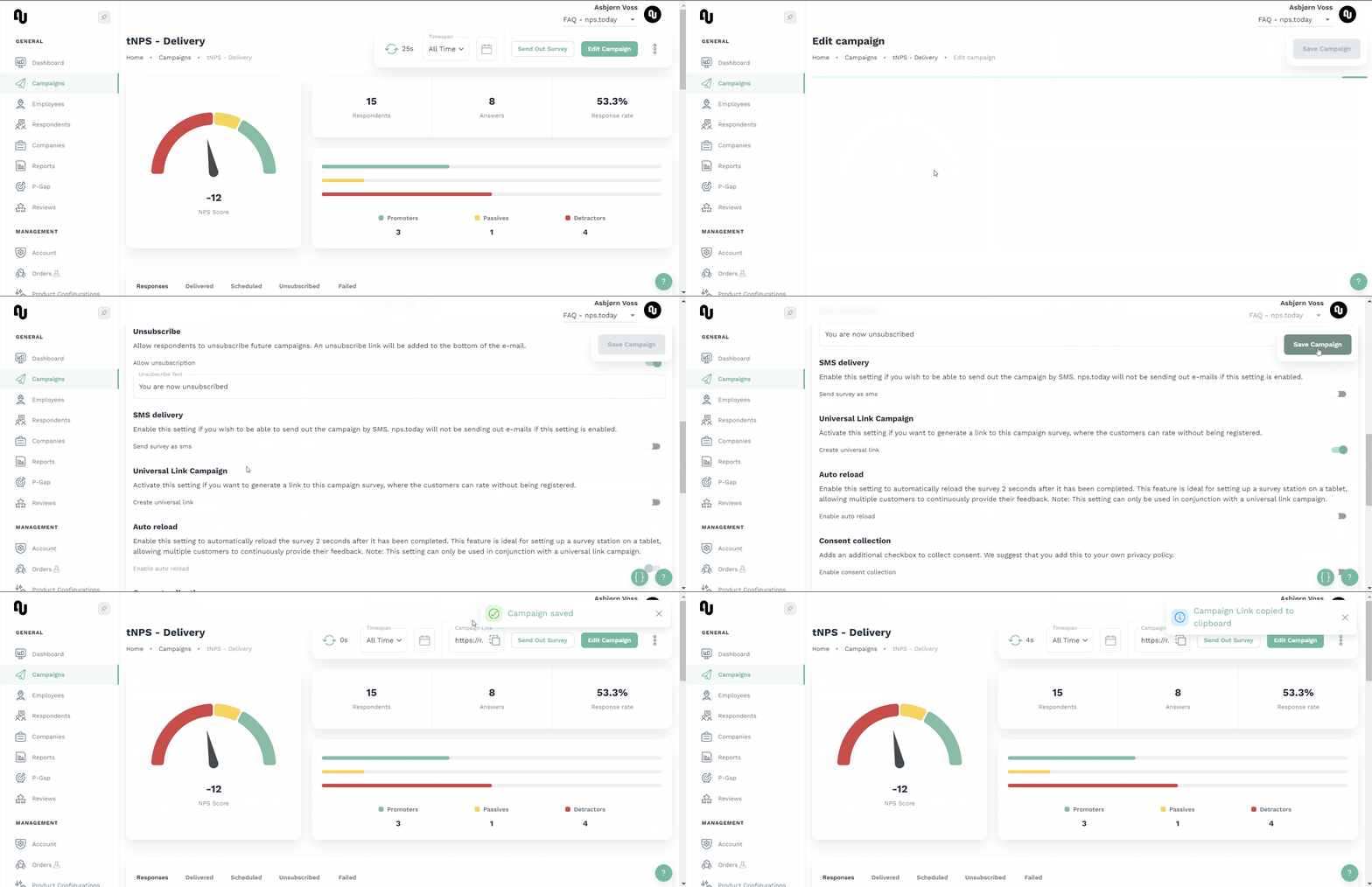
Use this feature to create an anonymous link campaign, that can be inserted into a browser.
See below GIF on how to enable this feature.
Use case
This can be used for in-store surveys, conferences or any other instance where you wish to collect on-site feedback from customers/visitors.
The links can be converted to QR codes as well. The survey linked to the QR codes will be updated every time you make changes to the link campaign in the system.
Warning
Be aware that all answers will be anonymous since we have no data from the respondents. You can, however, ask respondents to add contact info in the survey, by adding extra questions, if you wish to contact them, or need specific data from them.
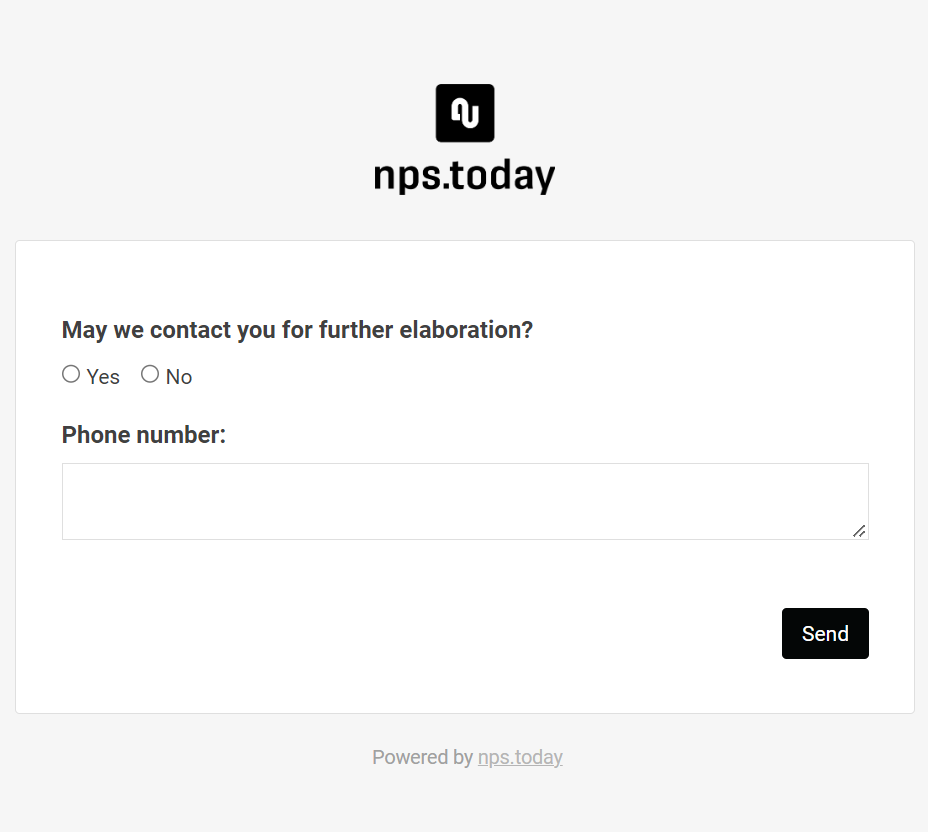
See below an example of inserting a check box to ask for contact information:
The links are disabled by closing the campaign.
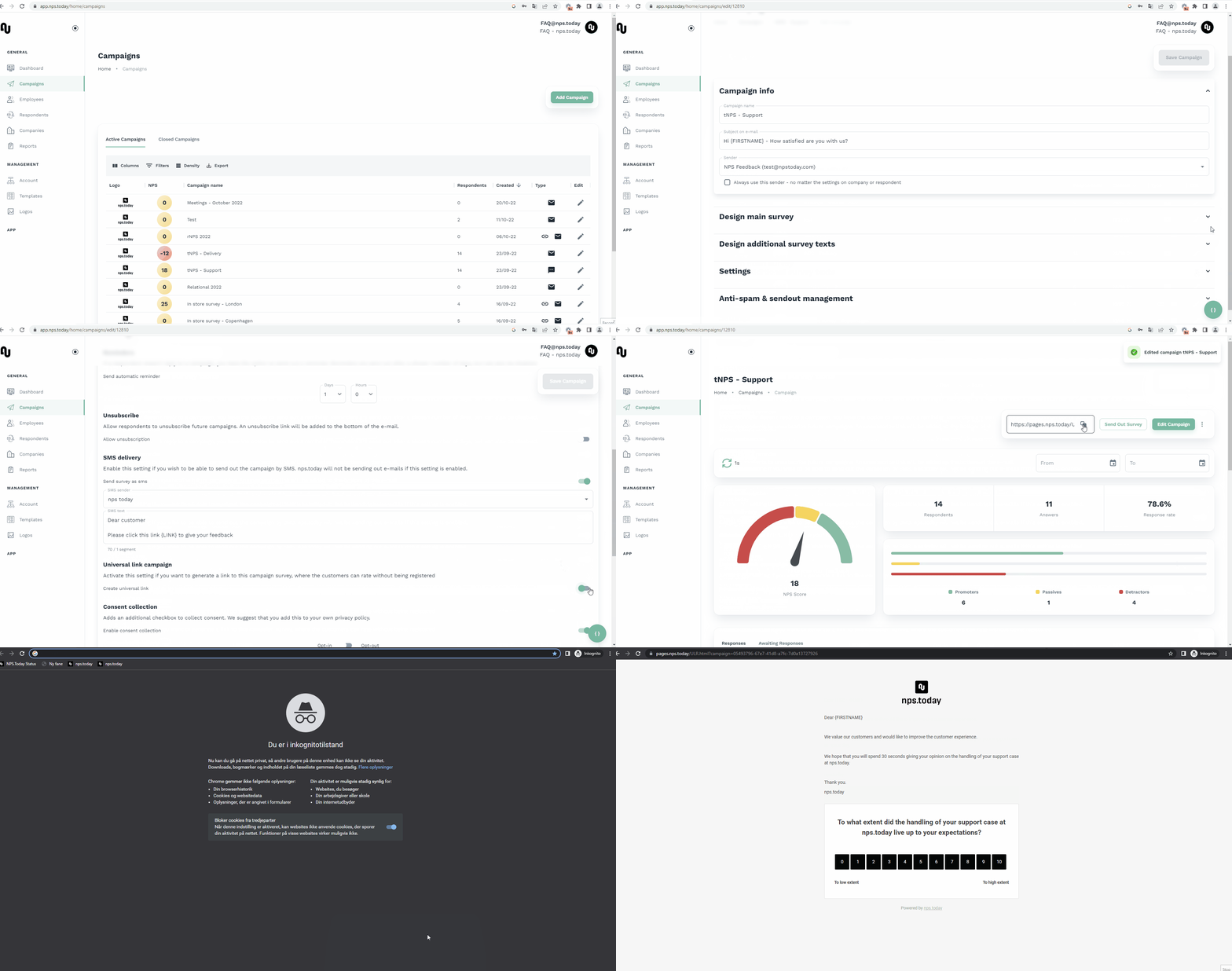
You can also make use of custom fields. If the API does not recognize a field that was given in the URL, it will then be categorized as a custom field. The custom fields will have their values stored on the respondent in a JSON structure. The example below demonstrates a URL with custom fields highlighted in red:
https://r.nps.today
?campaign=7123f093-bc1f-4981-aea4-027121baeac7
&car_brand=toyota
&manufacture_date=2004
Reserved fields
The fields listed below are reserved and cannot be used in custom fields.
- campaign
- cid
- id
- sha
- name
- firstName
- lastName
- ext
- phone
- rating
- employee
- unsubscribe
- instanceId