How to use throttling as anti-spam
Throttling
Throttling is a feature to prevent survey spamming. Here you define a time interval, where a respondent is “frozen” to receive surveys.
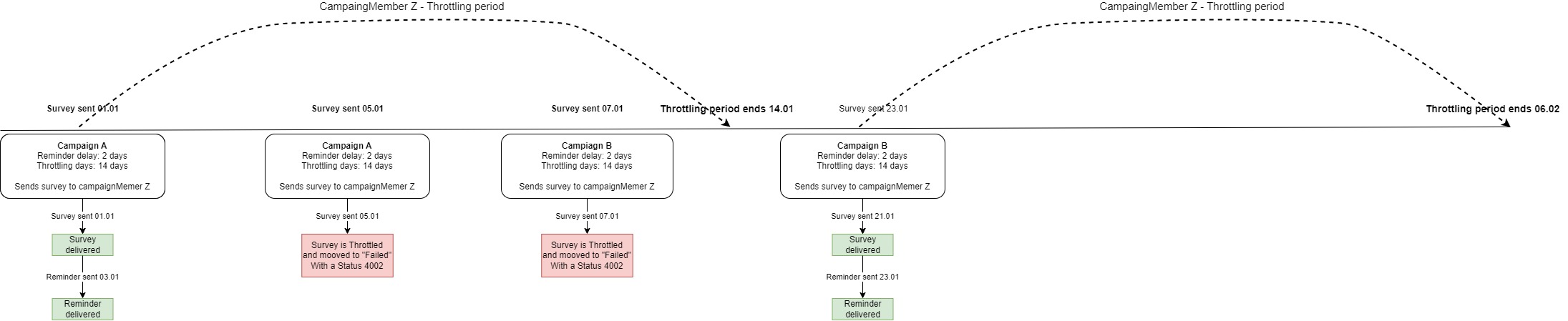
Surveys are throttled on all campaigns with the feature enabled. See picture below:
Note
-
Throttling is only relevant when the “Duplicates” feature is allowed. When enabling the this feature you allow for respondents to be able to receive a survey on a campaign more than once. When this is enabled, activating throttling should be considered.
-
Throttling is only available when editing existing campaigns.
Use case
A customer calls Customer Service. The issue wasn’t immediately solved, so they call again later that day. A couple of days later, they have another question, and call again. Should they receive a survey on all 3 calls? Or should we block survey 2 and 3 to prevent spamming the cusomter with surveys?
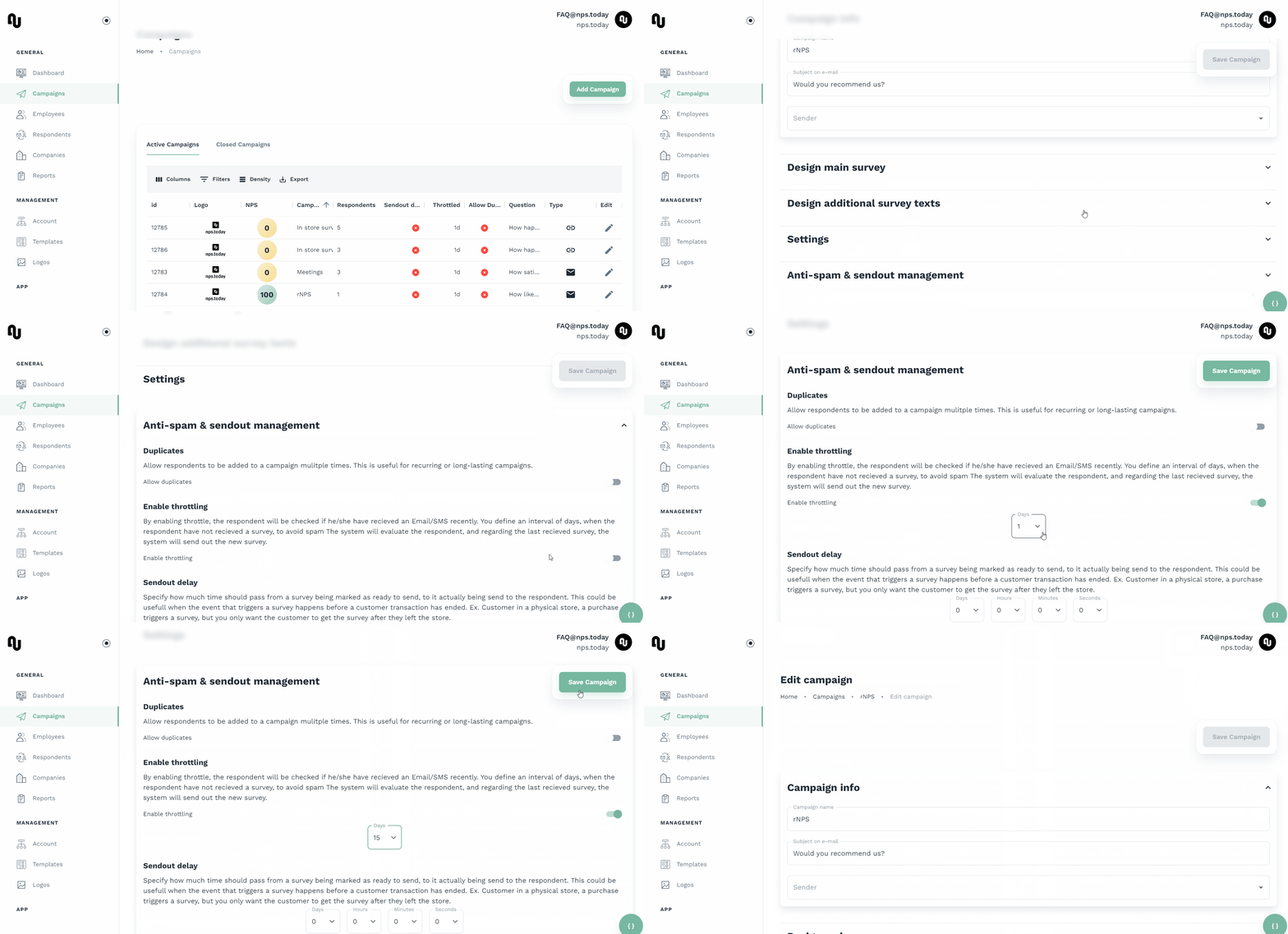
See below how you enable throttling
Forward throttling
With forward throttling you can forward a throttled survey to another campaign of your choice. Enabling this setting ensures that surveys subject to throttling are forwarded to another campaign instead of being withheld.
To find this forward throttling you must enable throttling as these are associated. See below GIF:
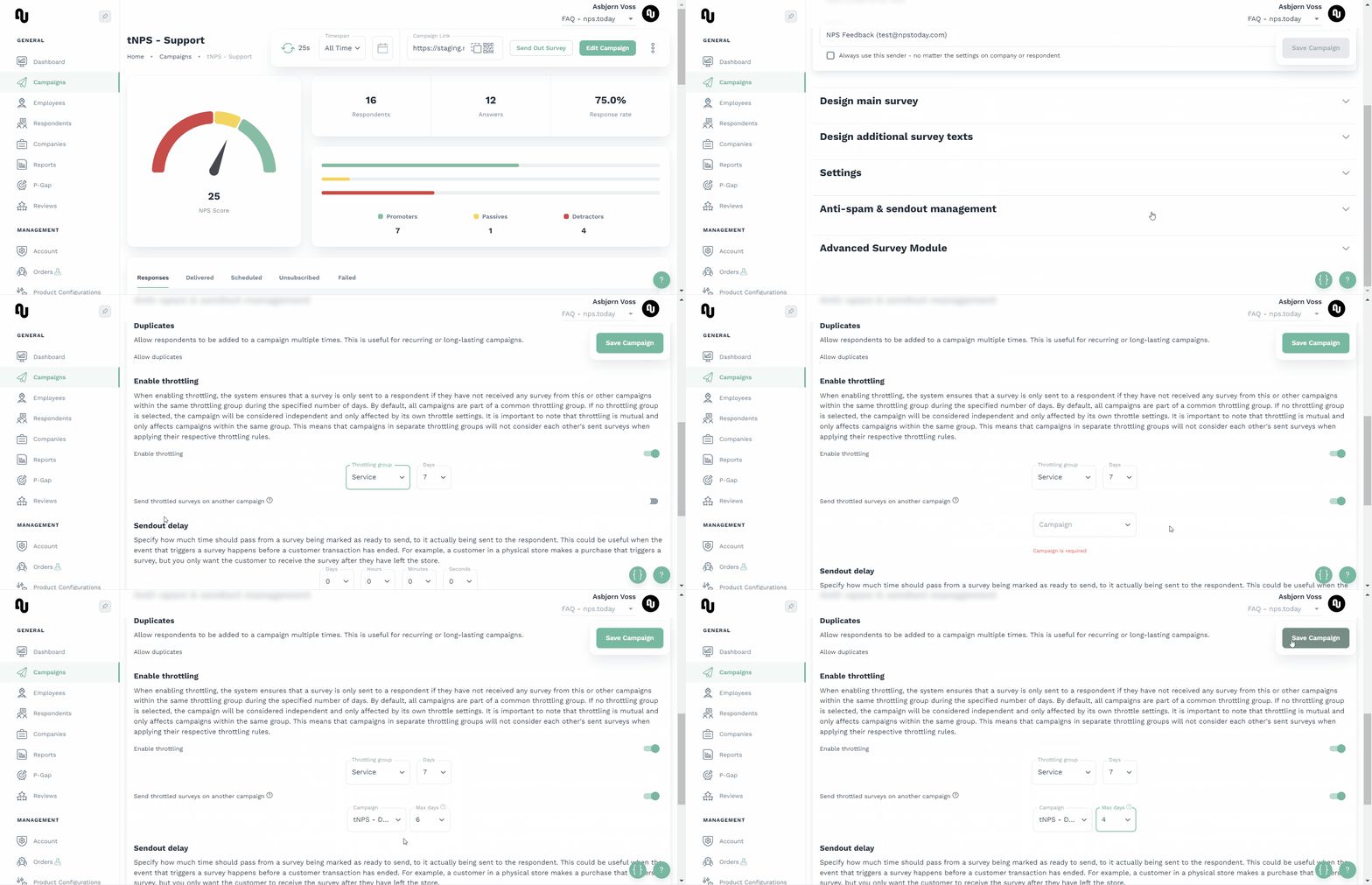
With forward throttling enabled you can select which campaign you like to forward the survey to, if it is throttled.
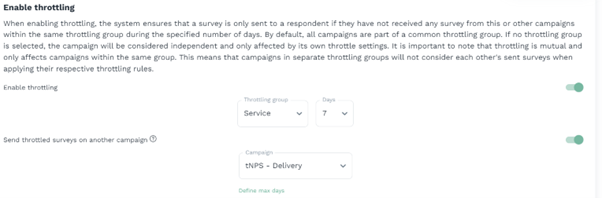
In below example a survey would be throttled on a campaign, but because forward throttling is enabled, the survey is instead sent from the campaign “tNPS – Delivery”.
Max days
Below the campaign selection you can click “Define max days”. This means that surveys will be redirected to the designated campaign if the specified “Max days” have not passed since the last survey was sent.
In below example a survey is triggered on a campaign to a campaign member which received a similar survey 3 days ago. Instead of being throttled the survey is forwarded to the campaign “tNPS – Delivery” because is has been less than “Max days” (4 days) since the last survey was sent.
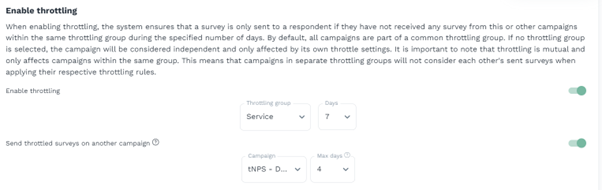
In the same example above if a survey is triggered on the campaign to a campaign member which received a similar survey 6 days ago instead the survey is now throttled as this surpasses the “Max days” (4 days) but still is below the general throttling days (7 day).
Throttling Groups
Throttling groups enable advanced control over your throttling settings, providing flexibility across campaigns.
By default, throttling applies to all campaigns where the feature is enabled. With Throttling Groups, you can apply unique throttling rules to separate campaigns. For example, surveys sent within the same throttling group adhere to shared limits, while surveys in different groups are throttled independently.
The diagram below illustrates a scenario where three surveys are sent to the same recipient:
- Two campaigns belong to the DEFAULT throttling group.
- One campaign belongs to the SERVICE throttling group.
Example
- Sending multiple surveys within the throttling period to campaigns in the same group (DEFAULT) results in "Failed" status 4002 AFTER first survey is delivered.
- Surveys sent to campaigns in different groups (SERVICE) are successfully delivered.

See below how you can add a new throttling group:
