Integration Guide for One-Connect
This guide describes how to set up the integration between One-Connect and nps.today to automatically collect customer feedback after queue calls.
Value Proposition
By integrating nps.today with One-Connect, feedback is automatically collected after calls are answered in One-Connect queues. This solution provides valuable insight into the customer experience and makes it possible to identify areas for improvement, allowing you to focus your efforts where they create the most value.
How the integration works
- A customer calls into a queue in One-Connect.
- An employee answers the call.
- When the conversation ends, nps.today automatically sends an SMS survey to the customer.
- The customer is asked to rate their experience via the survey while the interaction is still fresh in their memory.
Prerequisites
To activate the integration, the following are required:
- An API key from nps.today to connect One-Connect with the customer's nps.today account.
- At least one SMS campaign must be created in nps.today for sending NPS measurements.
Setup in nps.today
- Log in to your nps.today account.
- Create a new campaign:
- Create a campaign designed to send SMS messages.
- Define the SMS text and other relevant settings.
- Once the campaign is created, make a note of the campaign's Internal ID, as it will be used later in One-Connect.
- Find or create an API key:
- Go to Administration.
- Select Account.
- Go to Authentication.
- Find an existing API key or create a new one.
- Save the API key for use in the next step.
Activation in One-Connect
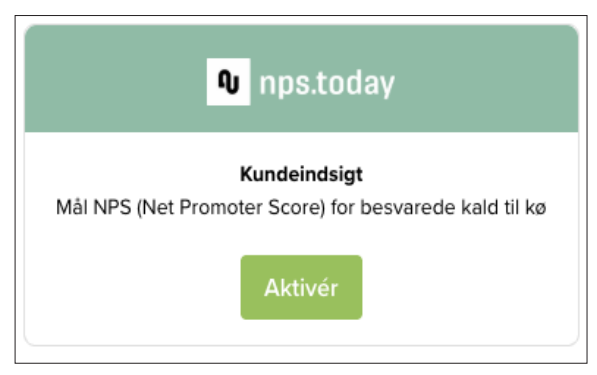
- Log in to the customer's One-Connect portal, go to Integrations, and activate nps.today.
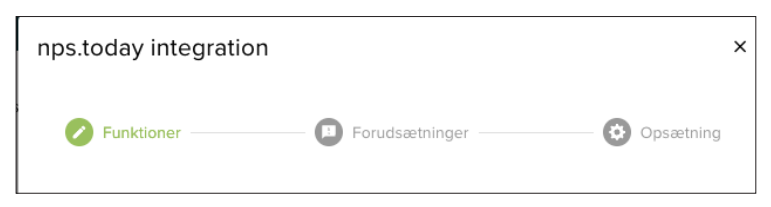
- Follow the short 3-point instruction set to complete the activation.
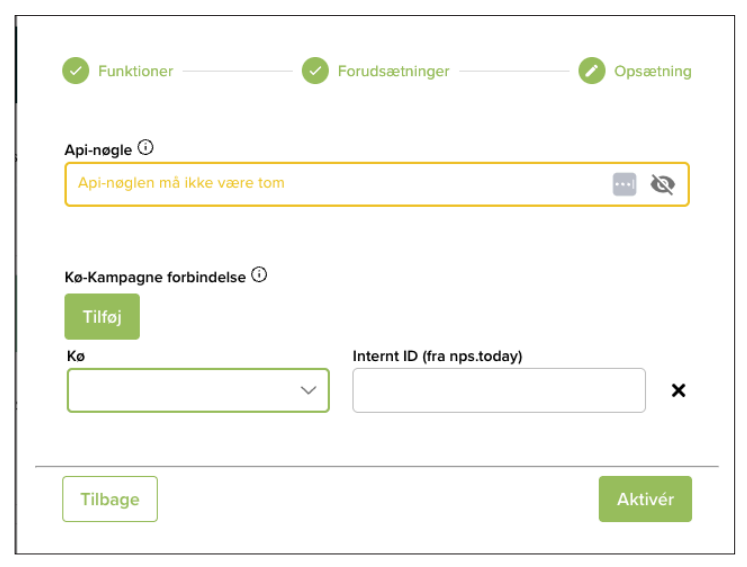
- In the Setup tab, configure the following:
- Enter the API key from nps.today.
- In the dropdown menu, select the queues that should be linked to NPS measurements.
- Enter the campaign's Internal ID for the specific queue (e.g., for the "Support queue") to activate the connection.
Confirm the Integration
When the integration is correctly set up, nps.today will appear under Active integrations in One-Connect.
The integration is now active, and nps.today will automatically send SMS-based NPS measurements after answered calls in the selected queues.
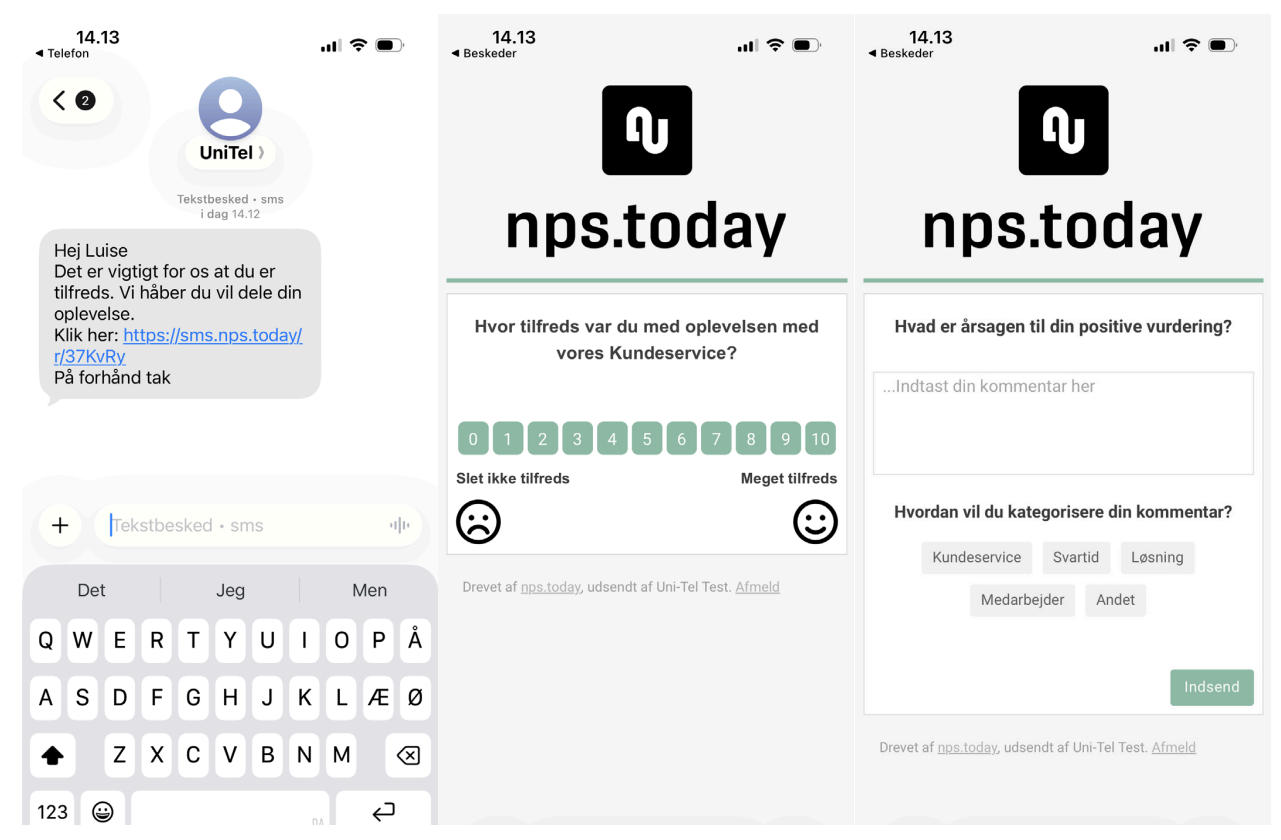
Survey Example
Below is an example of how the SMS messages and survey flow appear to the customer.
Support
You are always welcome to contact Uni-tel Support at tel. +45 69102200 or [email protected] if you have any questions regarding this guide.