FreshDesk
Requirements
nps.today is built for online usage and does not require IT integration or local installation.
Requirements
- Internet access
- Operating system . PC: Windows 7 or newer . Mac: Mac OS X 10.10 or newer
Browser
- Google Chrome version 50 or newer
- Microsoft Edge 120 or newer
Freshservice/Freshdesk - License
nps.today
- nps.today Basic license (Minimum)
- nps.today API module
Integration
The nps.today integration to Fresh Service is based on Automation in Fresh Service.
Creating the setup on the nps.today platform
To finish your integration to FreshDesk you need to first:
- Create a campaign in the platform. How to add new campaign
- Retrieve campaignID to conncect your FreshDesk webhook with your campaign: How to find campaignID
- Retrieve API key: How to find nps.today API Key
Sending an NPS survey from Freshservice
Freshservice sends a request to the nps.today API webhook based on events.
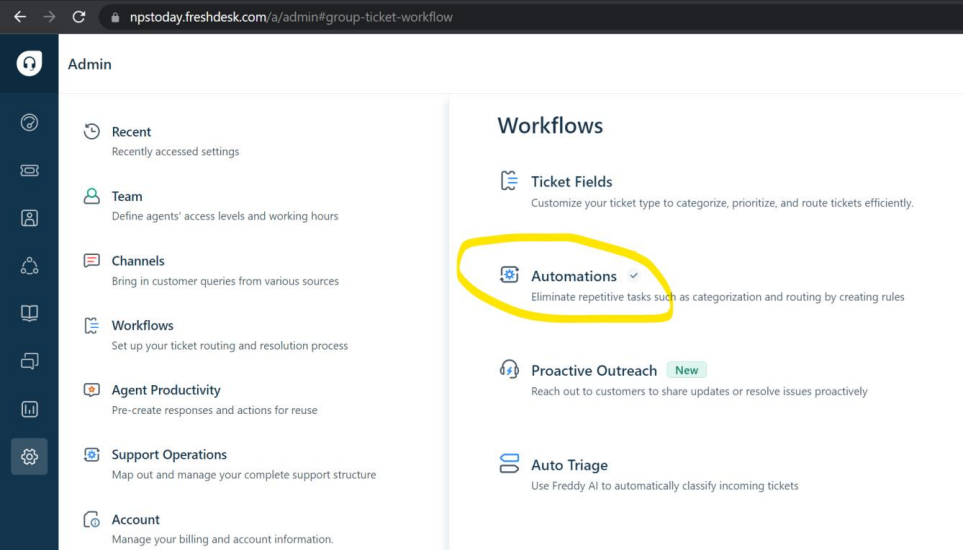
Go to Admin / Workflows / Automations
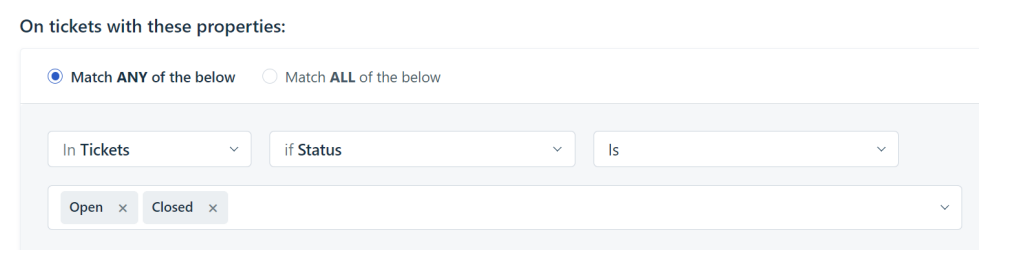
Create a new Ticket Updates rule:
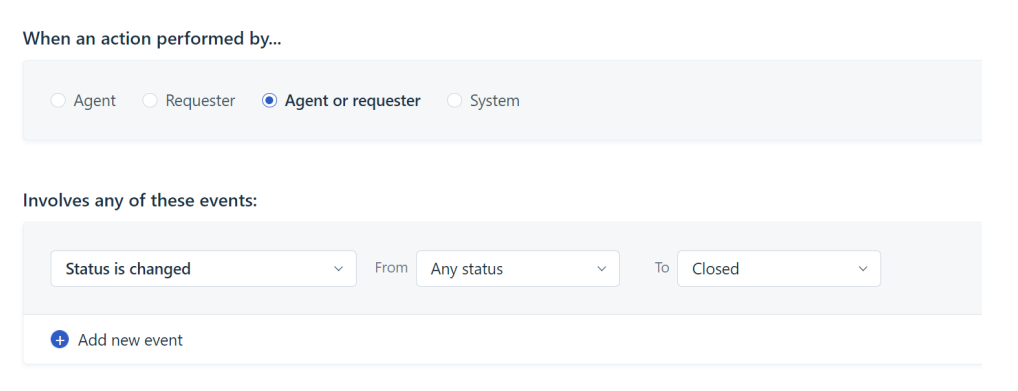
In this scenario the survey will be sent when a case changes status to closed. Note that example of JSON body and the endpoint you need, can be copied at the bottom of this page.
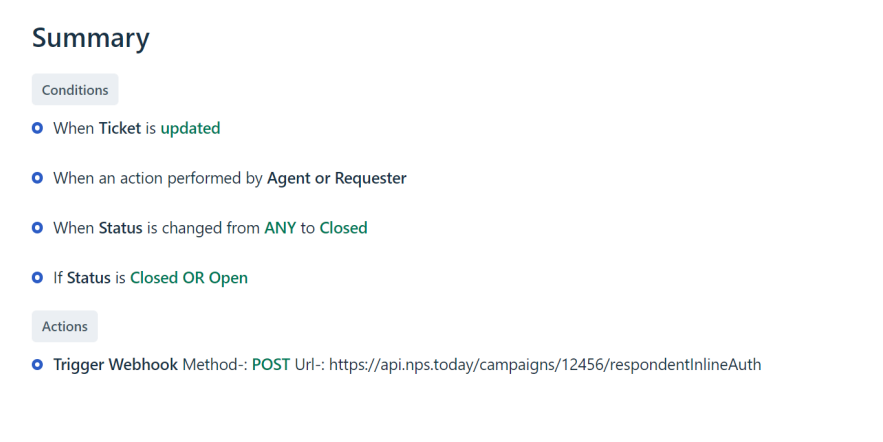
Perform this action:
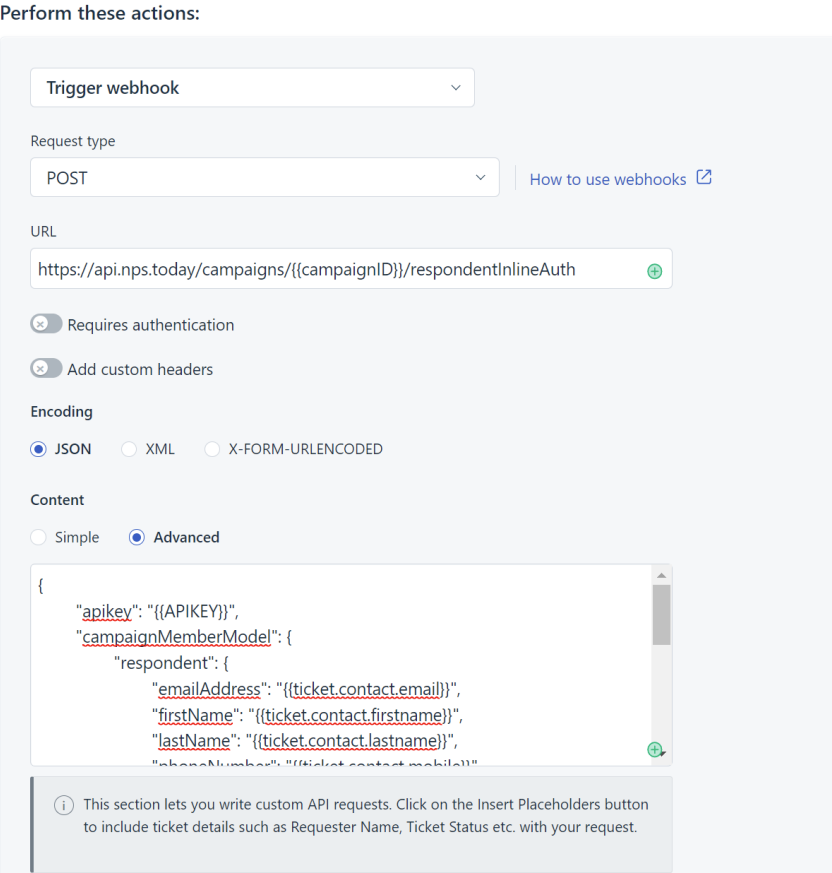
Copy endpoint below:
https://api.nps.today/campaigns/{{campaignId}}/respondentInlineAuth
Copy example of JSON body:
Remember to insert your API key from nps.today.
{
  "apikey": "{{APIKEY}}",
  "campaignMemberModel": {
    "respondent": {
      "emailAddress": "{{ticket.contact.email}}",
      "firstName": "{{ticket.contact.firstname}}",
      "lastName": "{{ticket.contact.lastname}}",
      "phoneNumber": "{{ticket.contact.mobile}}",
      "externalId": "{{ticket.contact.unique_external_id}}"
    },
    "employee": {
      "email": "{{ticket.agent.email}}"
    },
    "custom": {
      "TicketID": "{{ticket.id}}",
      "Subject": "{{ticket.subject}}",
      "TicketURL": "{{ticket.url}}"
    }
  }
}
The only variables you need is the campaignID and APIKEY.
Data back to Freshdesk
You can update a ticket in Freshdesk with nps.today feedback data by using the Freshworks API and a middleware service like Power Automate.
For this, you need the ticket ID attached to the response in nps.today. See an example of this in the section above, where data is added to the ticket in two custom fields.
Feedback data on ticket
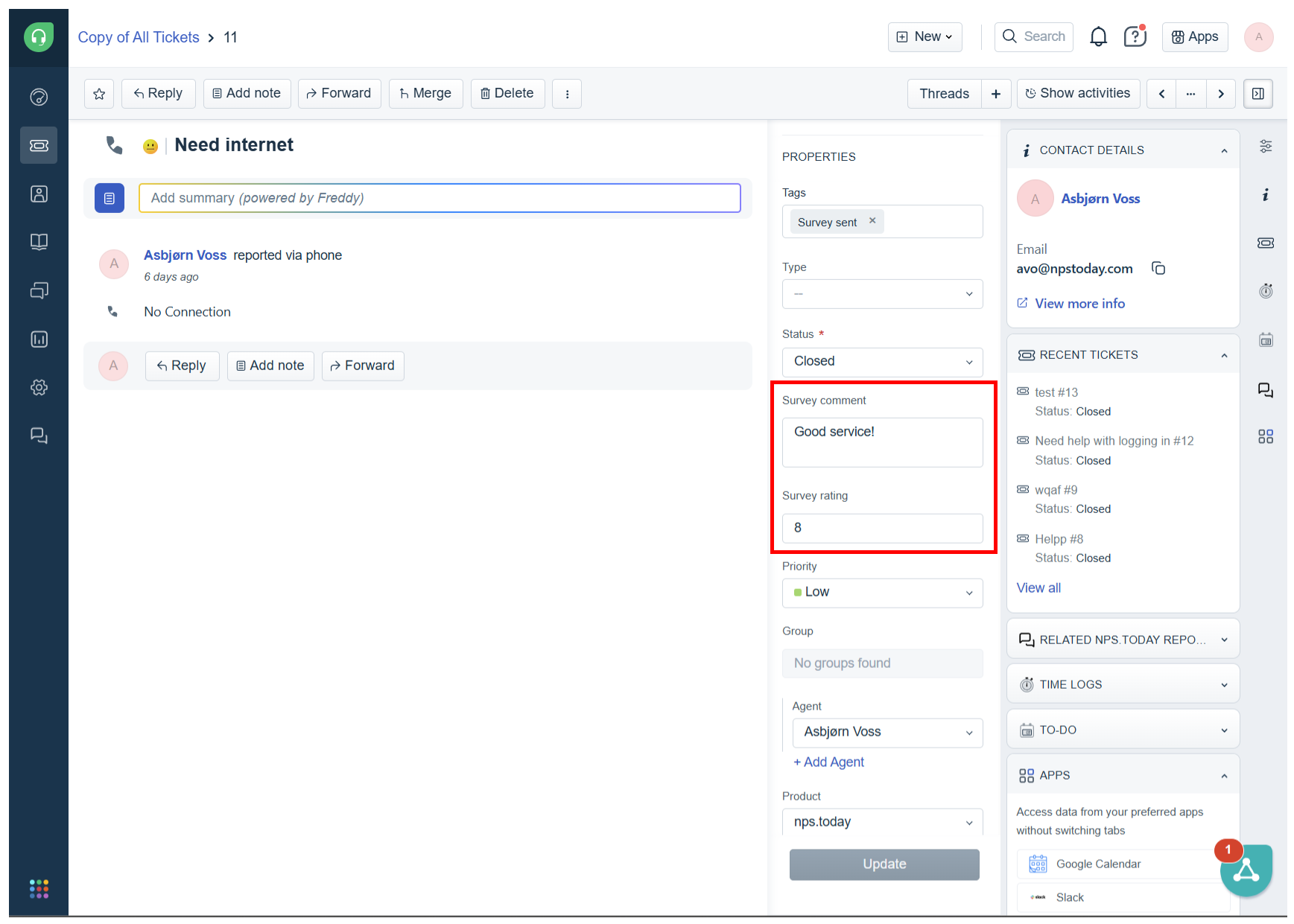
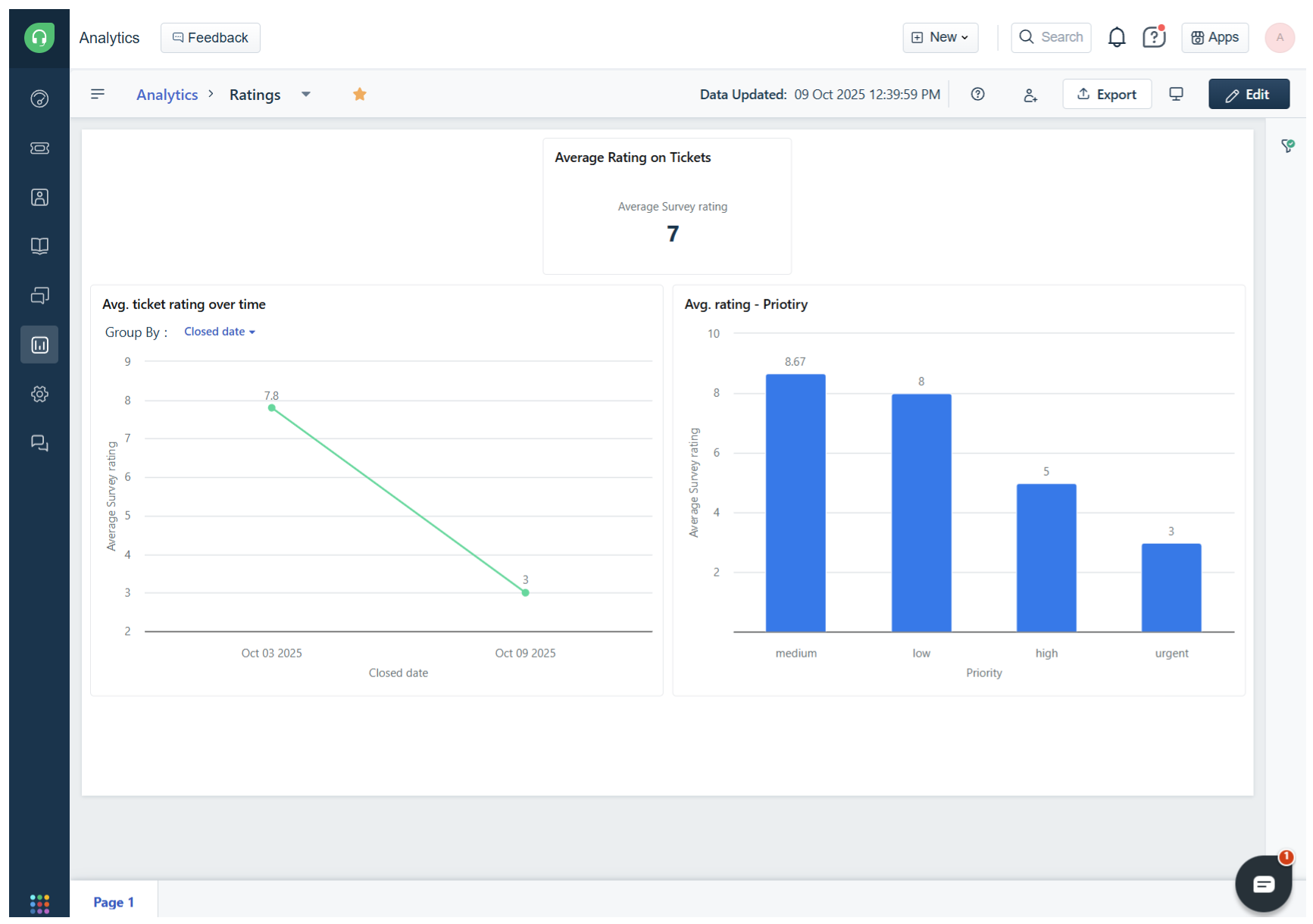
By adding feedback data to your ticket, you can start analyzing the data with Freshdesk Analytics.
Feedback data in Analytics