Salesforce Product Card
Product Overview
| Label | Description |
|---|---|
| Product Name | NPS for Salesforce |
| Version | Review this site |
| Target Audience | Companies using Salesforce Service, -Sales or -Marketing |
Value Proposition
nps.today is the leading NPS-based, omnichannel survey engine for Salesforce. Automate your customer experience program across Sales, Service, and Marketing Cloud, as well as your other IT systems, with minimal IT costs. This enables you to gather survey responses from your other systems in Salesforce through nps.today as your survey engine.
Product video
Product Description
Automated and operational NPS.
Get customer insight with relevant surveys. Push responses to Contacts and Accounts and recover bad experiences with alerts and actions.
MEASURE
-
Set up and manage branded surveys
-
Set up NPS triggers based on data or events in Salesforce
-
Set up NPS triggers in other customer systems, such as Zendesk, Intercom, Marketing Cloud, Pardot, etc.
-
Embed NPS surveys in existing channels such as marketing emails, website, webshop, service desk mails, etc.
-
Add surveys to Salesforce Chat and -Messaging
UNDERSTAND
-
Make NPS responses visible to all Salesforce users on both Contacts and Accounts
-
Make NPS responses visible in all your other customer systems like Zendesk, Teams, Slack, and Outlook
-
Identify trends with manual or AI based tagging/categorization
-
Understand campaigns in Salesforce with customized reports and dashboards
-
Analyze NPS responses in your favorite BI system, incl. the plug & play app for PowerBI
ACT
-
Set up automated alerts and notifications based on NPS responses and CRM data
-
Automate 1:1 follow up tasks for teams or employees incl. escalations
-
Automate NPS follow up flows in Salesforce Marketing Cloud
Key Features
Send survey
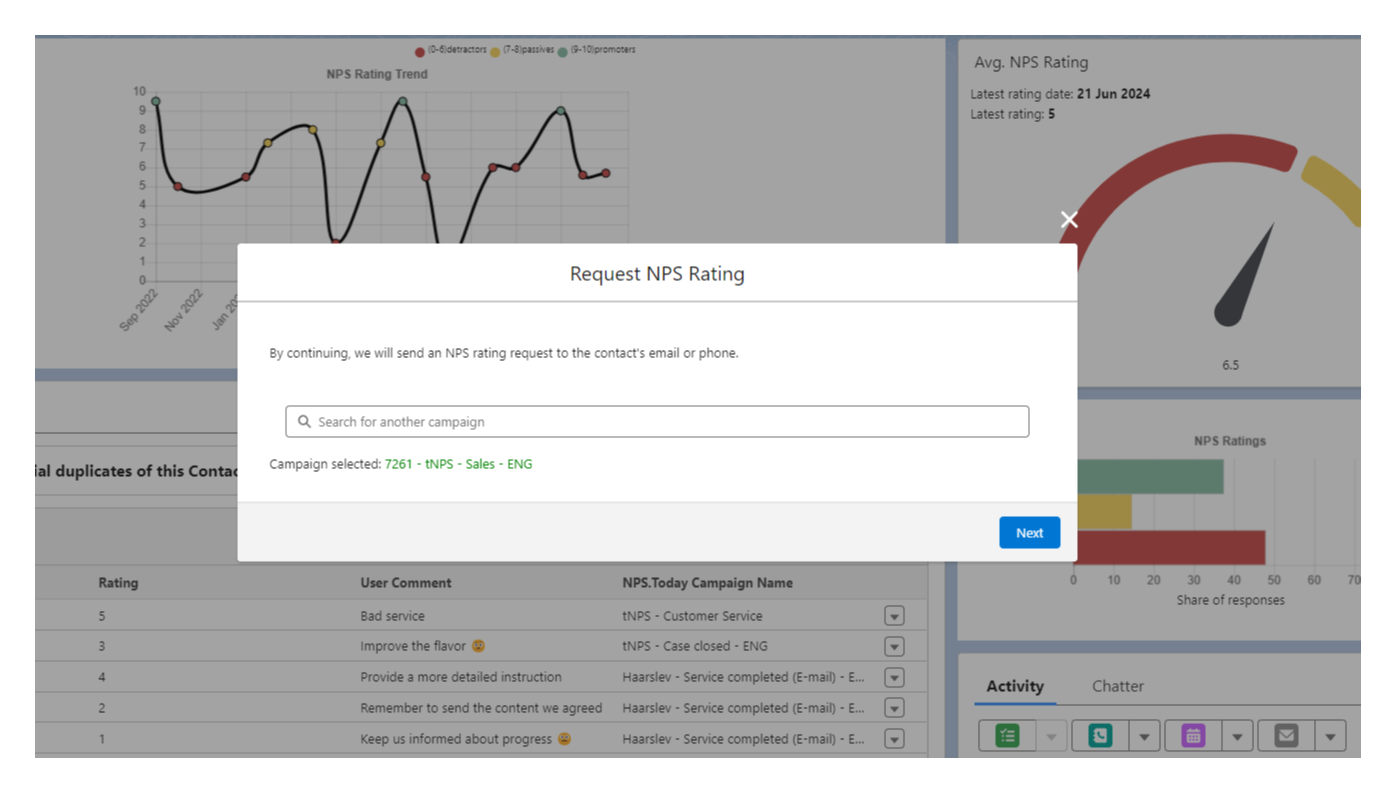
Manual surveys
Send out surveys with a click on a button on the contact page.
Automated surveys
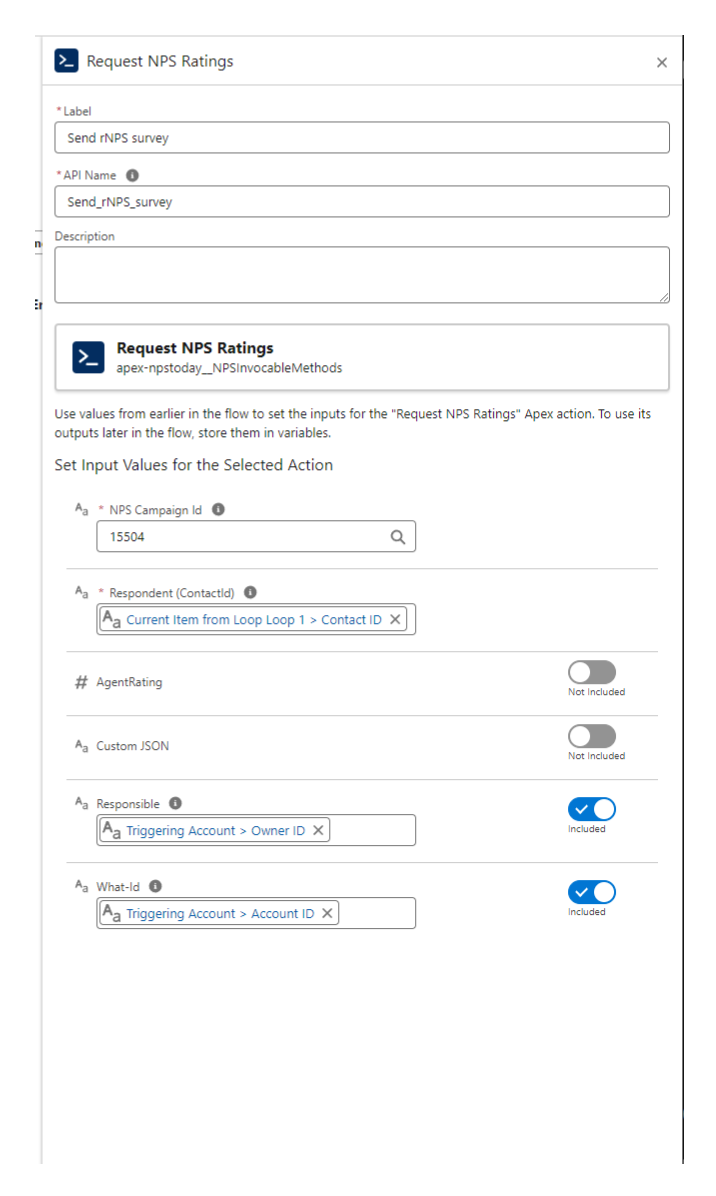
Automate survey send out with Salesforce flows or do manual send outs.
Our integration has a built in Apex trigger that you can use to trigger surveys.
Apex Action example
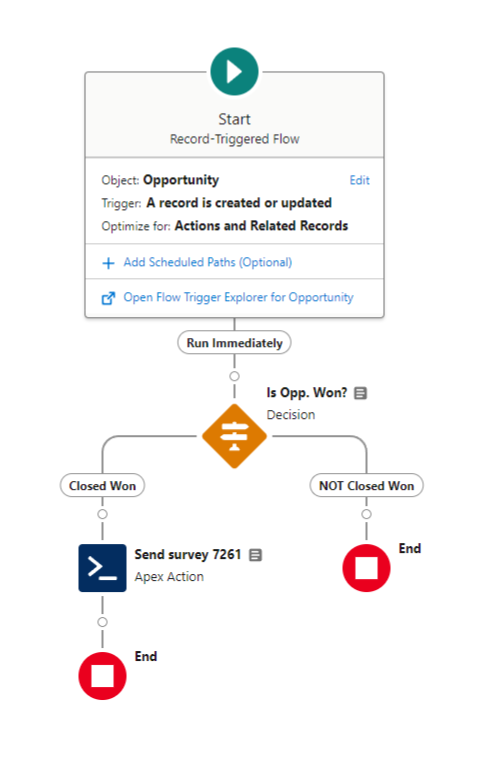
Opportunity = Won
Simple flow that sends a survey on Opportunity = Won
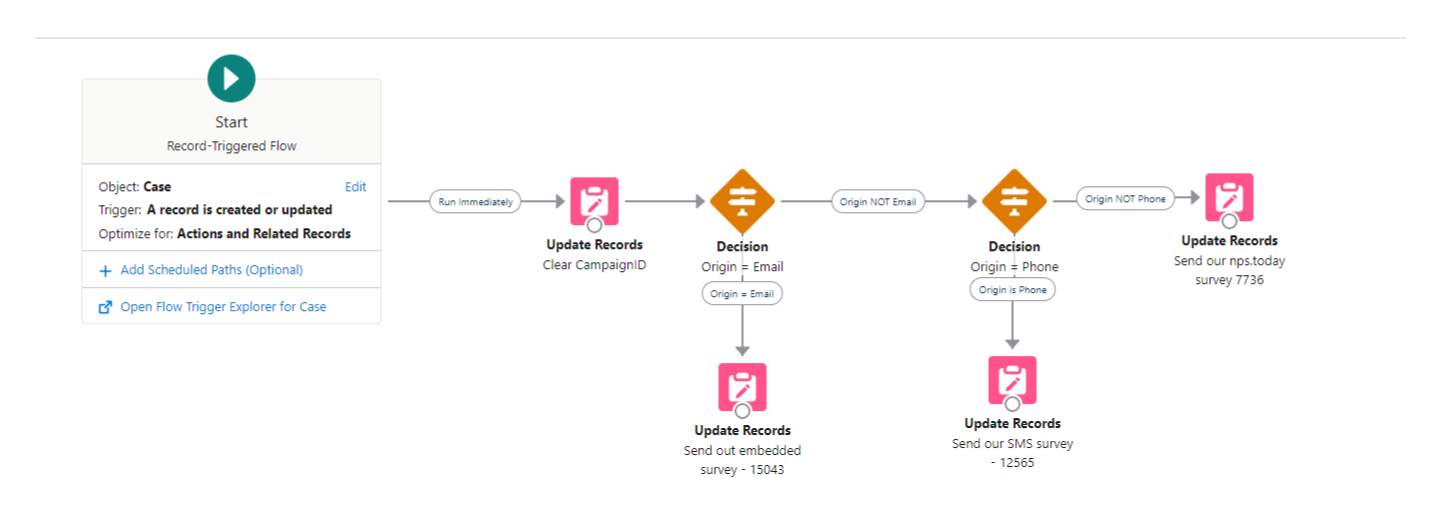
Case = closed
Embedded surveys
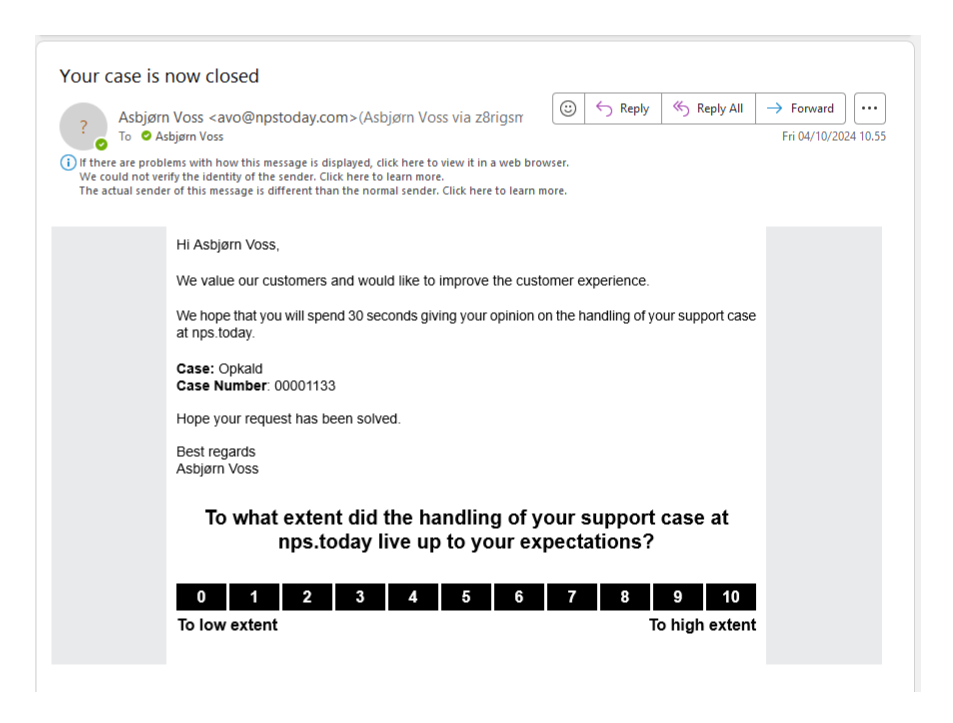
Embed your nps.today survey into your existing Salesforce emails.
Chat and Messaging
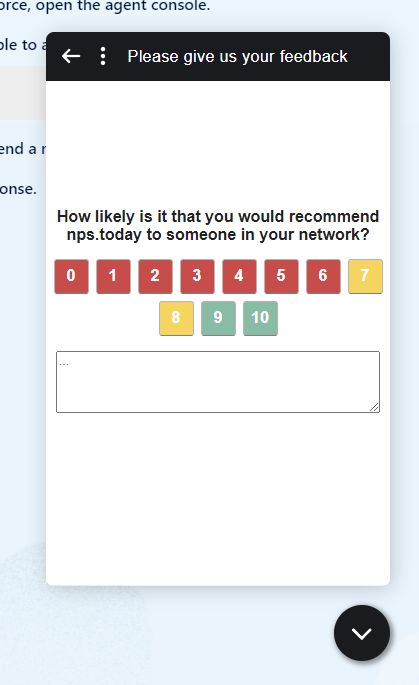
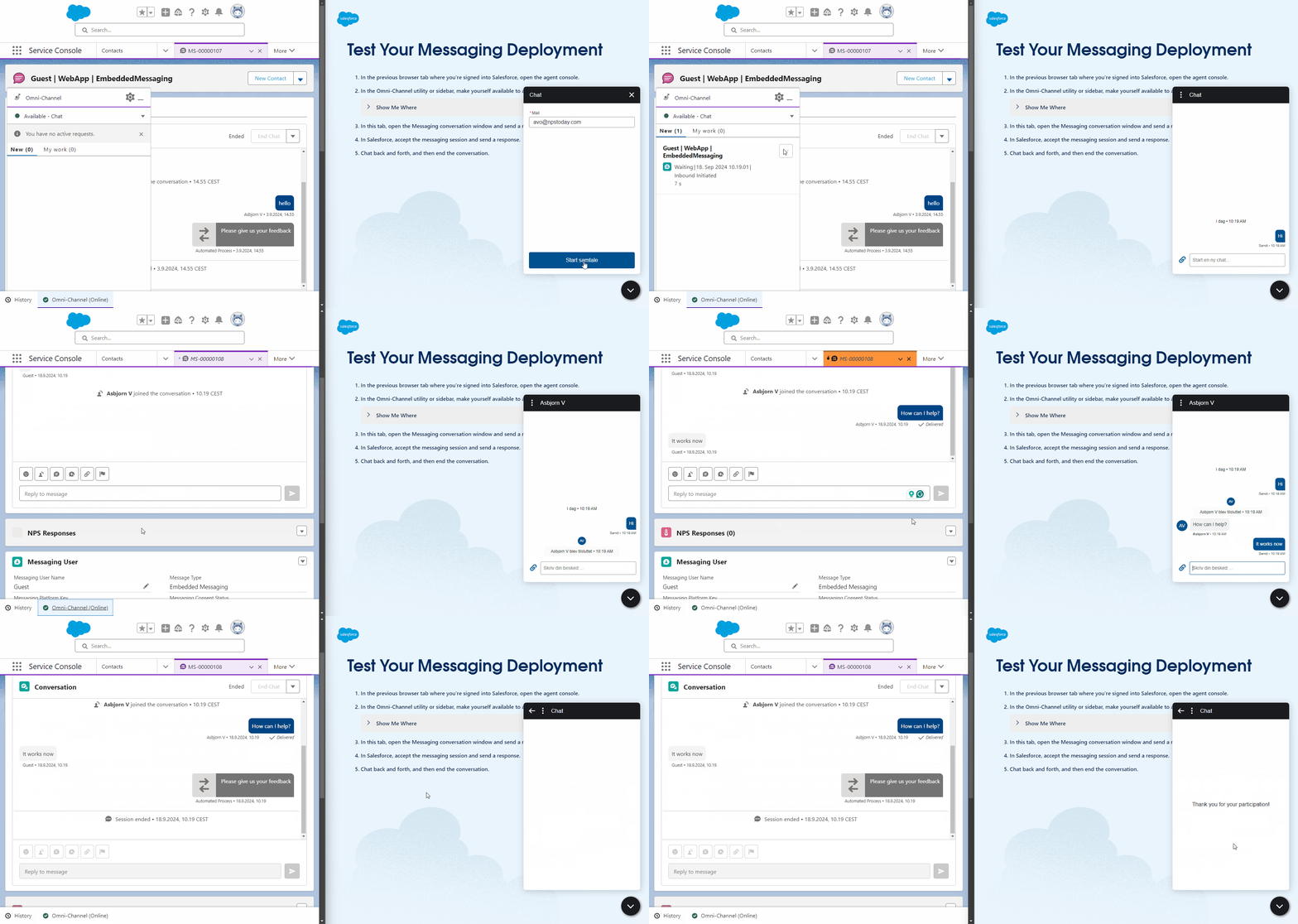
Prompt your customers with a survey when a chat or Messaging session ends. The survey will pick up your design settings from your campaign in nps.today.
Survey example:
Session example:
Survey to a list of contacts
You can also send out surveys to a list of contacts.
Read this guide for more information:
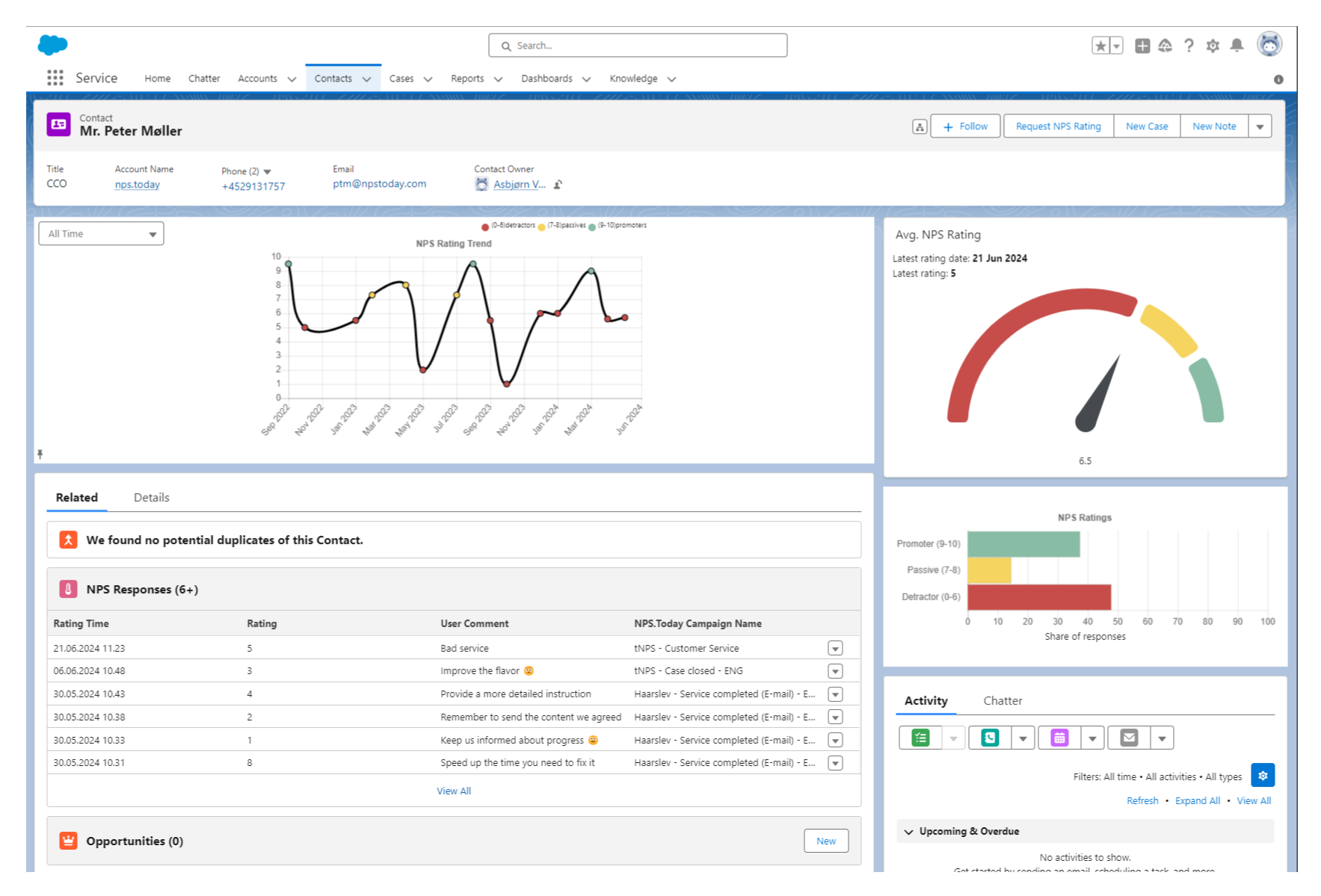
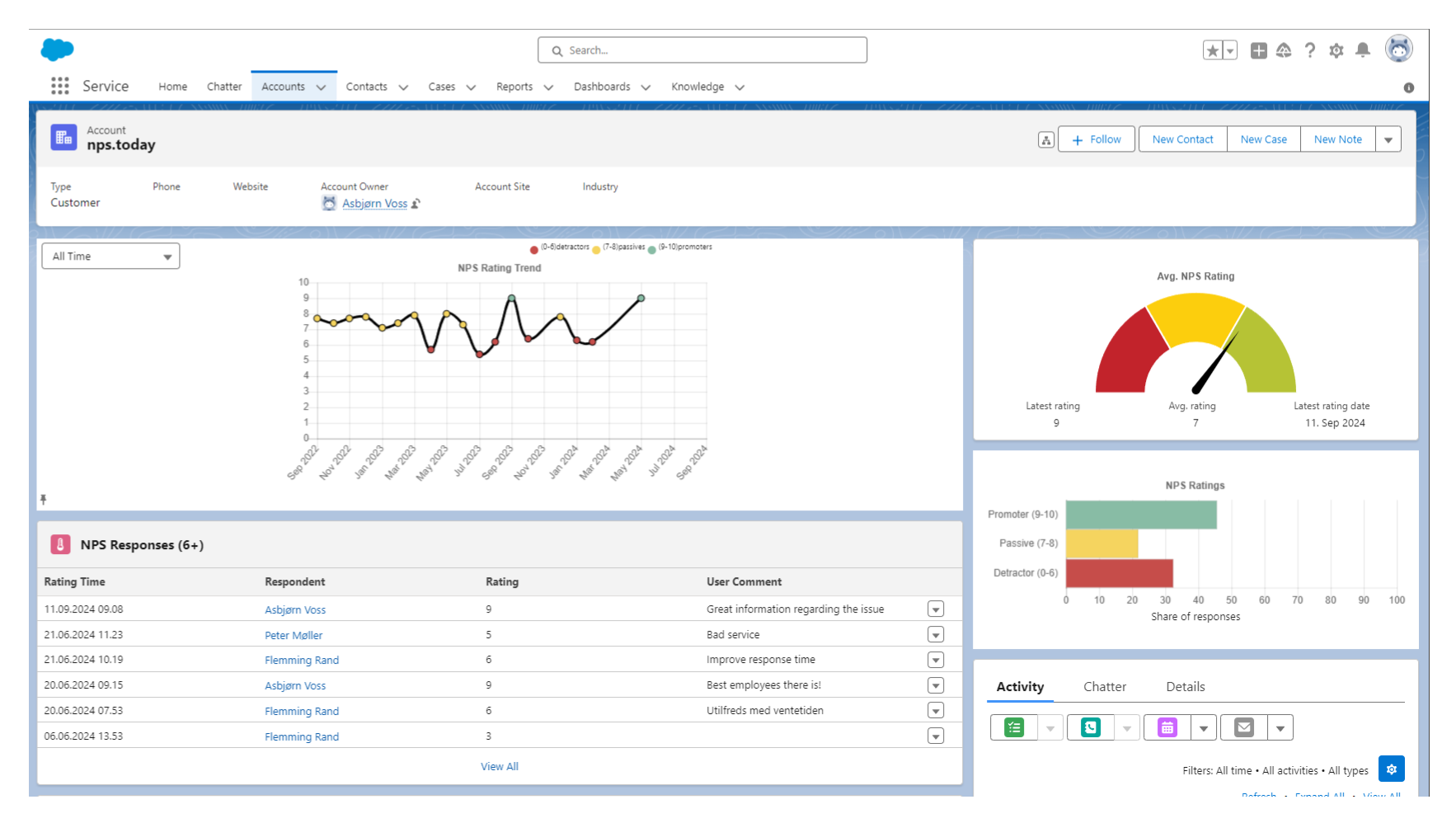
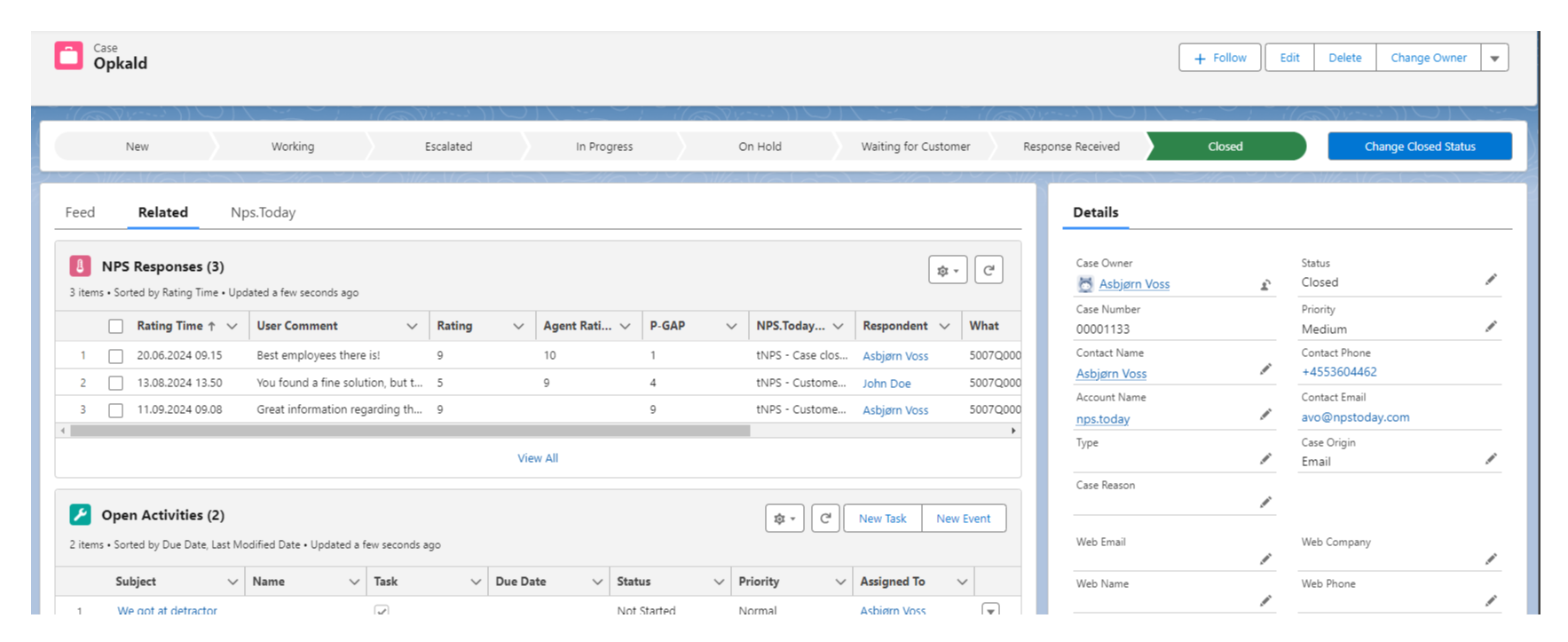
View response data on your Salesforce pages
Have data right at your hands on relevant page in Salesforce.
Contact View
As a standard you can add data to your contact page
Add response data to other pages
If you want to add response data to other pages you can use Salesforce Flows.
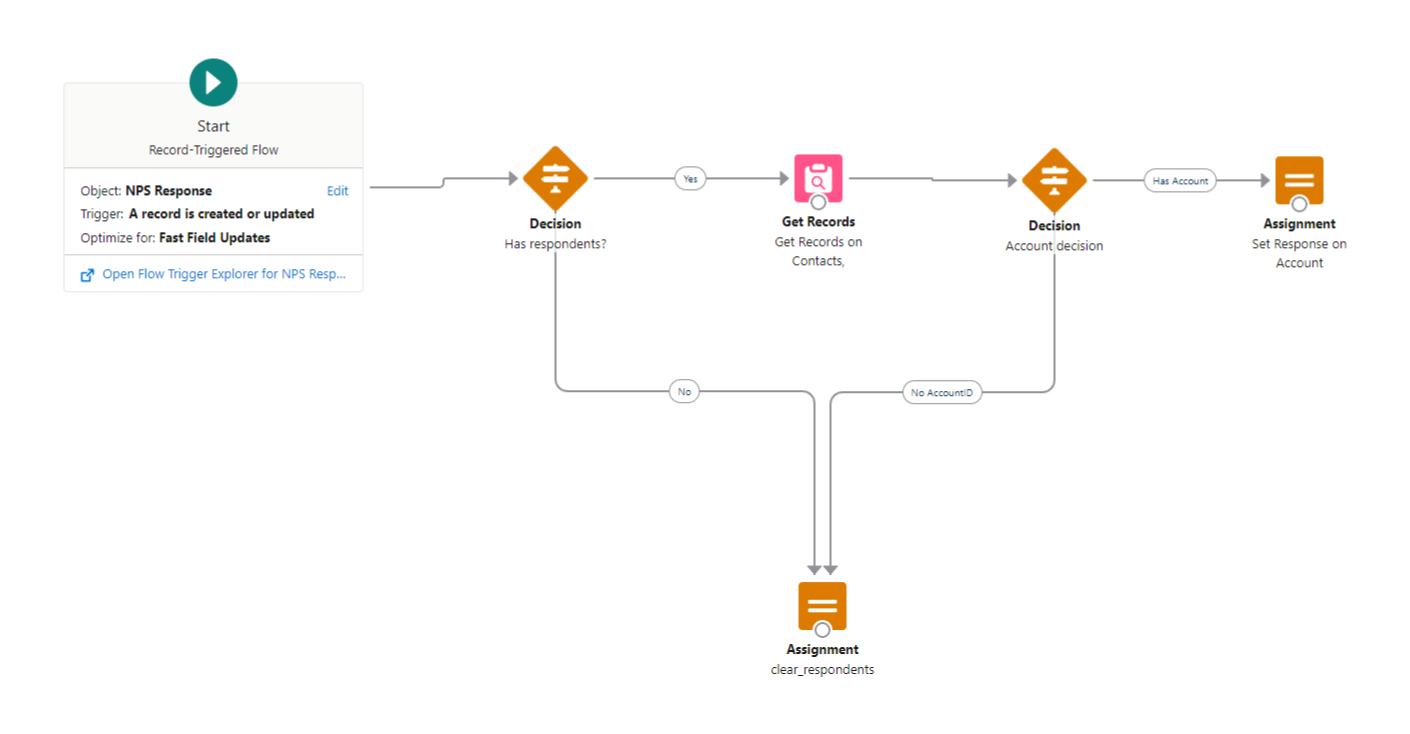
Other view examples
Account View
Cases View
Close the loop
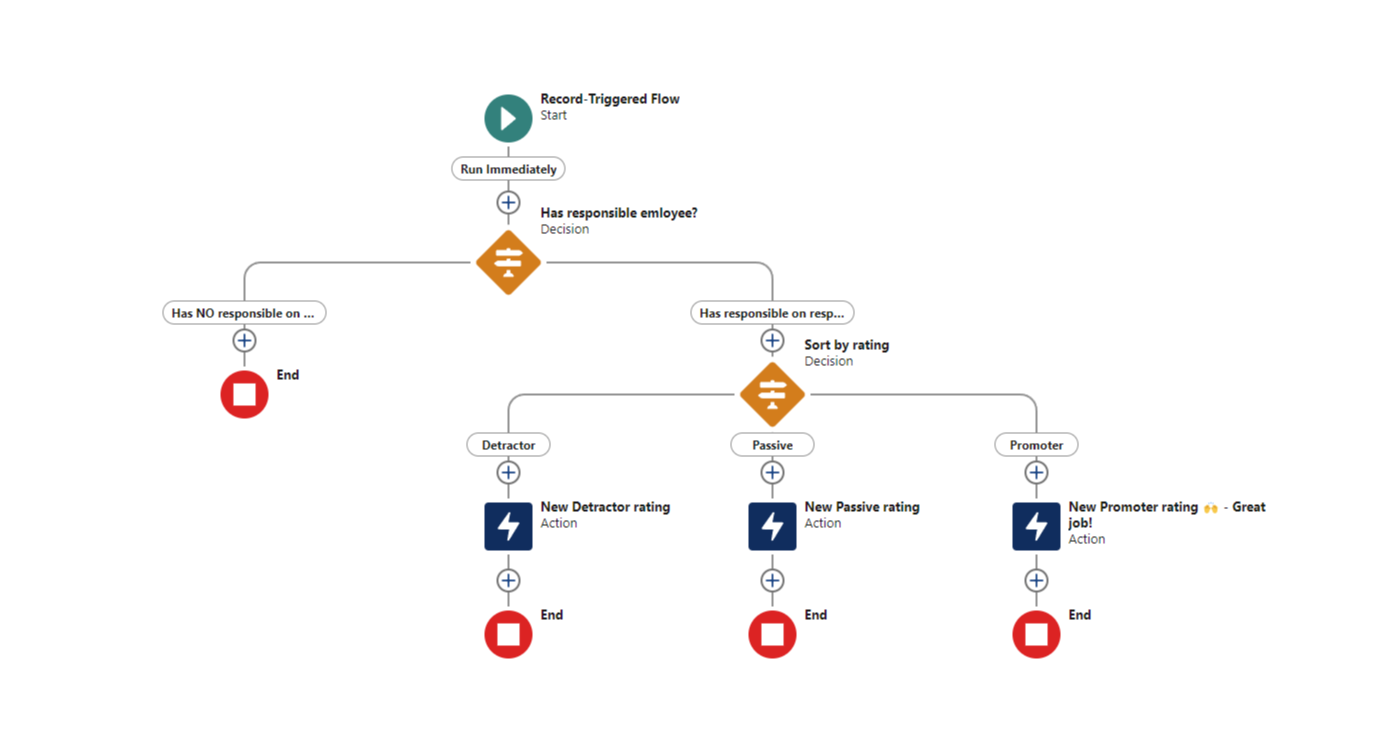
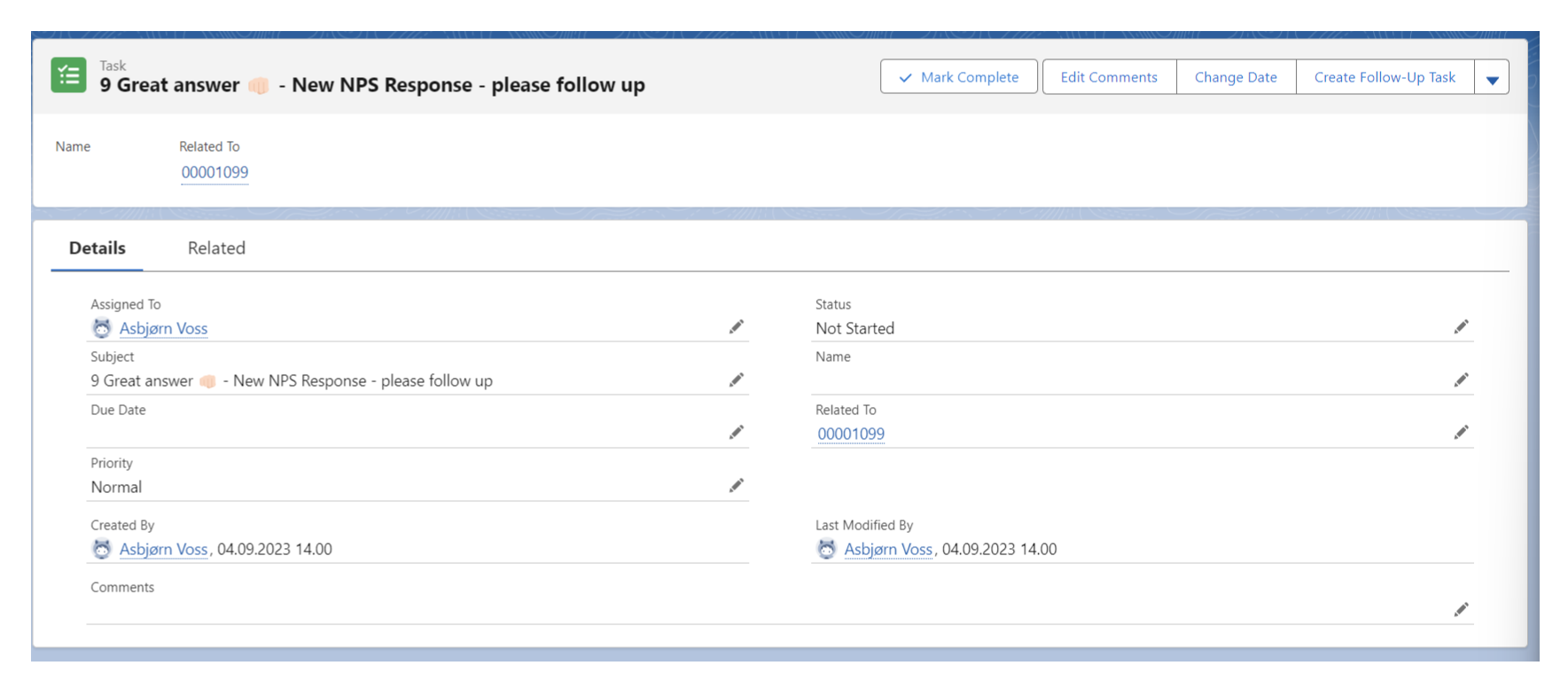
Automated follow-up actions
Use Flows to create automated actions on incoming responses in Salesforce.
See below example of different employee tasks created based on the rating.
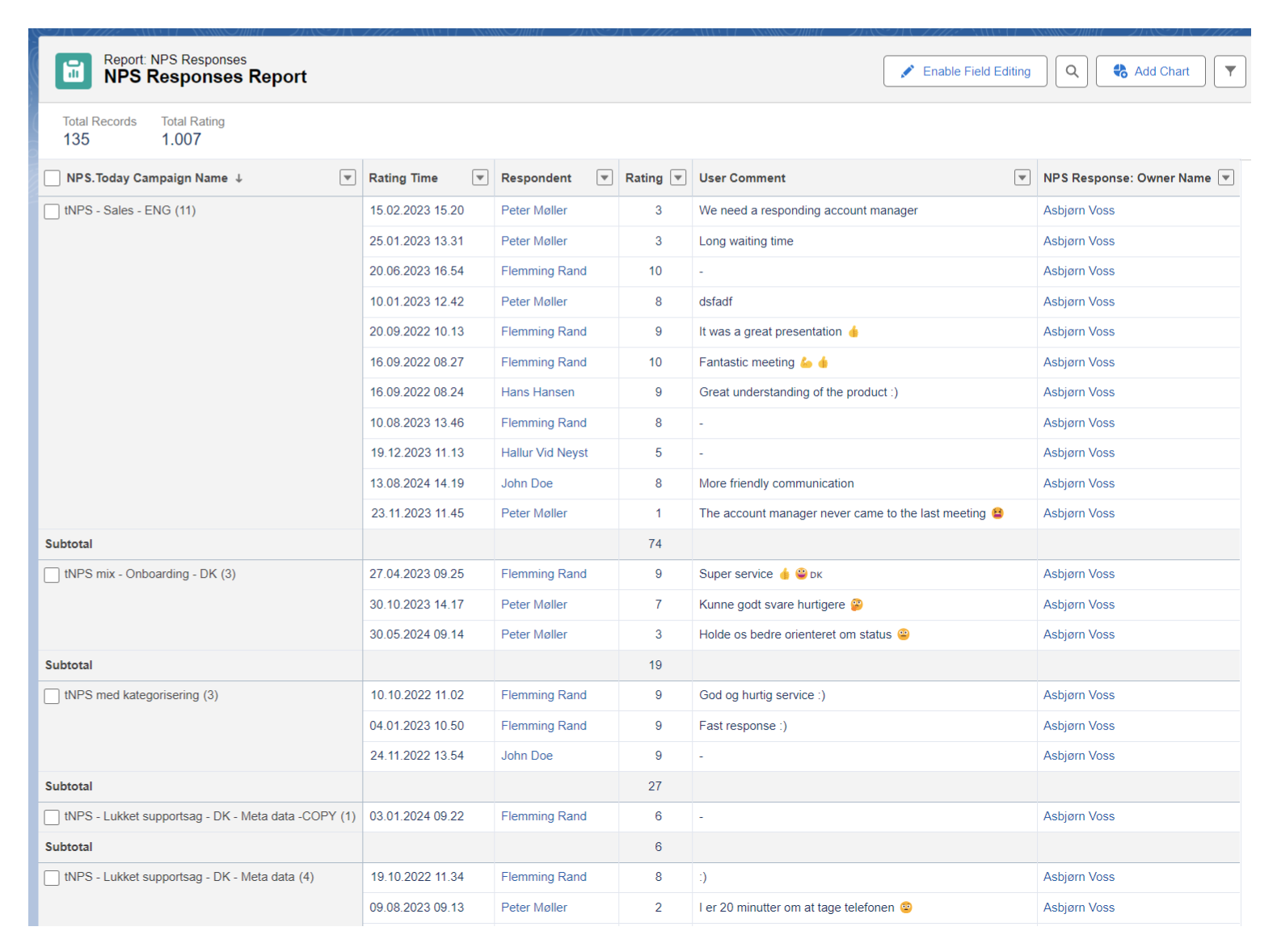
Report and dashboard
NPS data with Salesforce reports
Use data to build reports in Salesforce
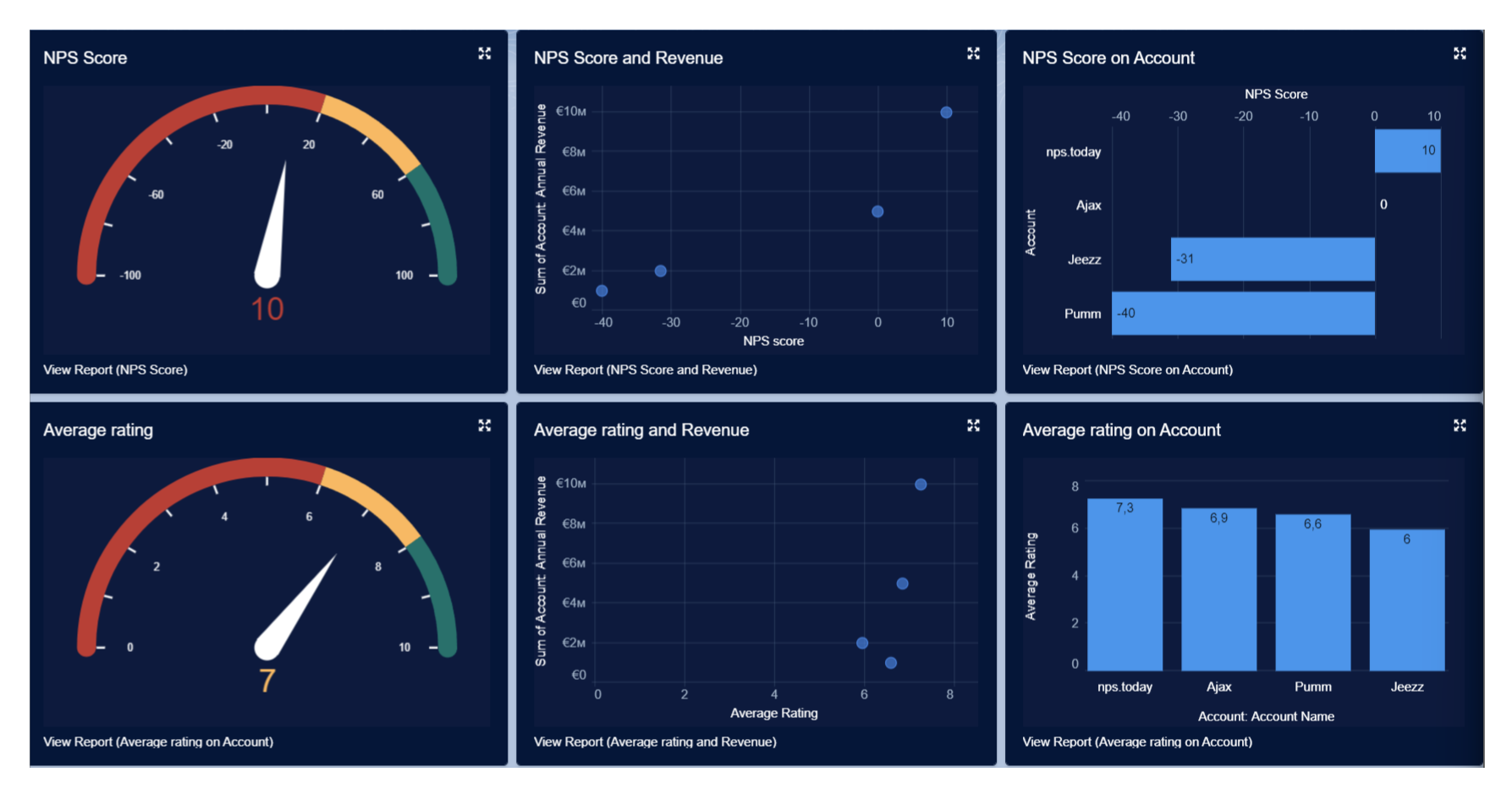
NPS data with Salesforce Dashboards
Use data to build dashboards in Salesforce
Use P-GAP to train your employees in customer service
In Salesforce you can prompt your employees with an agent question when handling a case.
Agent rating pop-up example
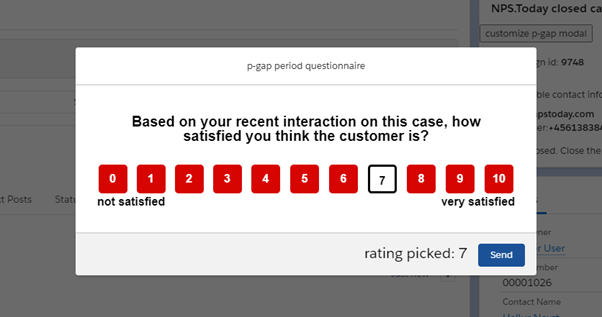
Customize your agent rating pop-up
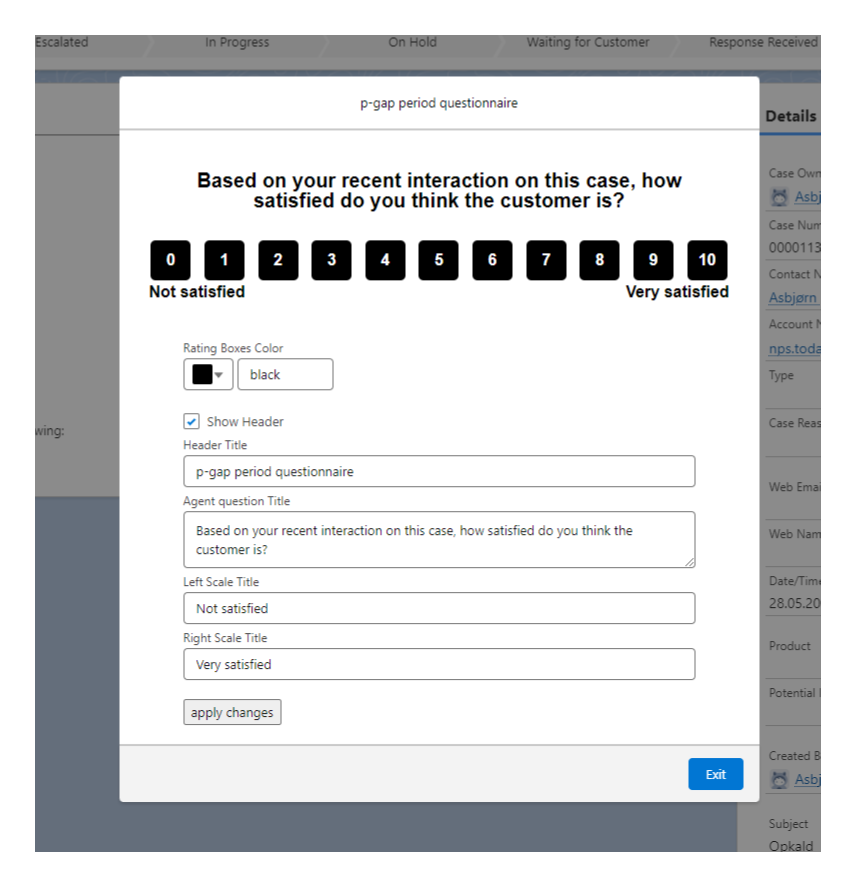
Read more about setting up P-GAP for Salesforce here.