Uninstall Packages
This section will show you have to uninstall a package.
-
Go to Set-up -> Seach for 'installed packages' in Quick Search -> click 'Uninstall' on the nps.today package.
-
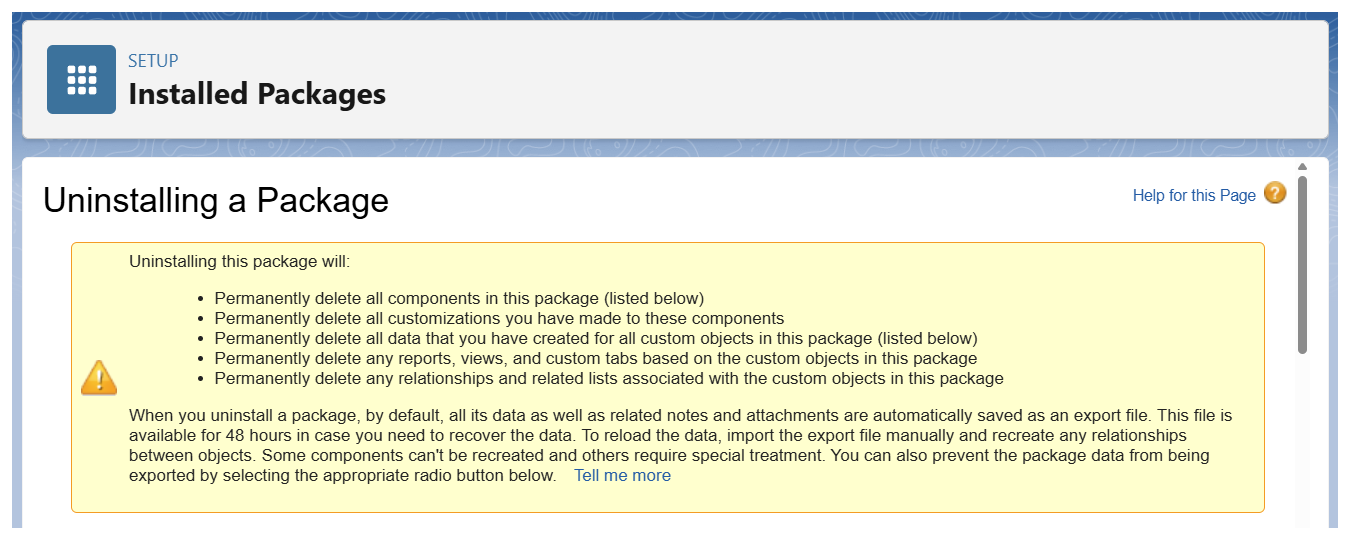
Read the warning box:
Uninstalling the package will:
-
Now
 the box:
Yes, I want to uninstall this package and permanently delete all associated components". -
And click "Uninstall".
-
You will most likely get a message saying "Unable to uninstall package" as you need to delete all items related to the package including, charts, lists, flow actions, etc.
Delete only package related items
Remember you only need to delete the specific item related to the package.
For example, if you have a flow triggering a survey in nps.today using our Apex action, you no not need to delete the whole flow, but only the Apax action used in the flow.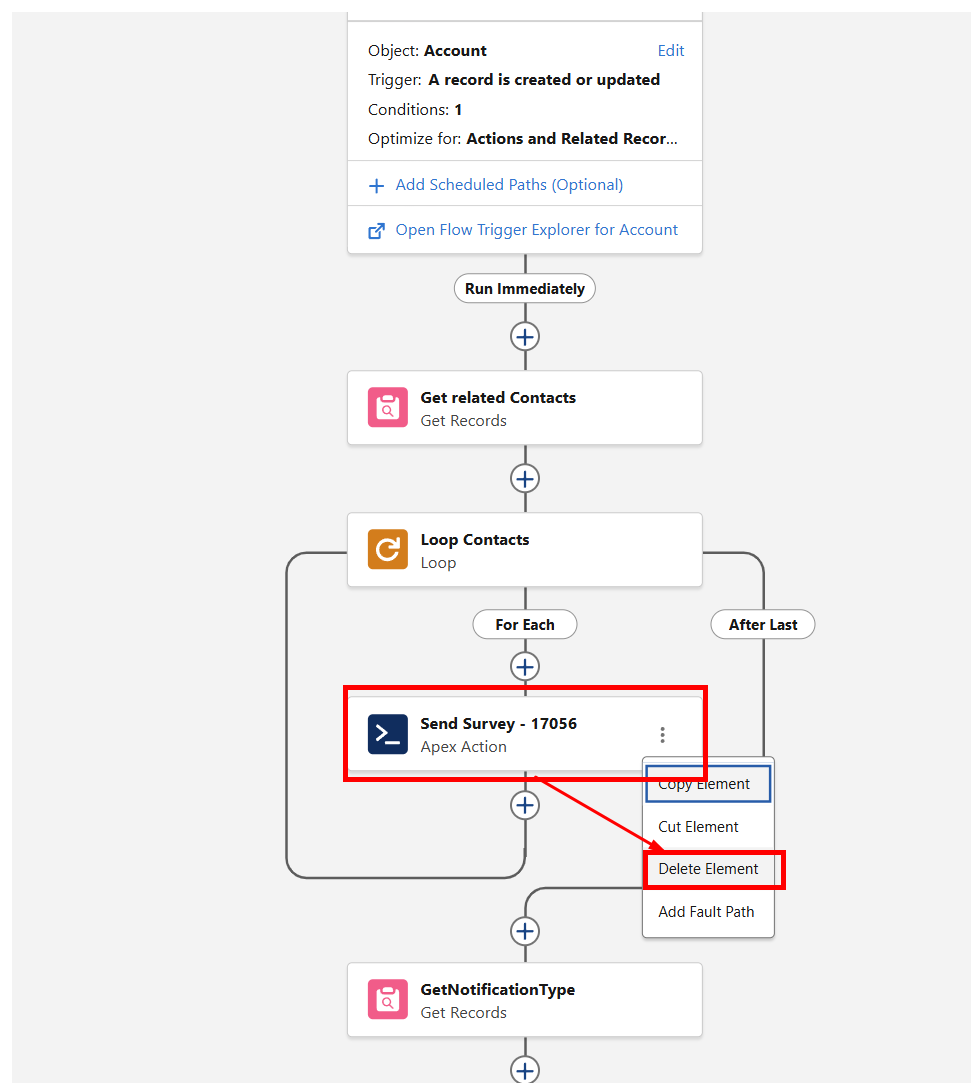
-
Redo step 1-4 until the installation is successful.