nps.today feedback for Conversational Intelligence in Puzzel
This guide explains how to send your nps.today survey results to Puzzel so that NPS scores and customer comments appear automatically on the matching conversations.
This document is intended for external use (customers and their nps.today administrators). It describes behaviour and configuration only — it does not cover internal implementation to Conversational Intelligence in Puzzel.
Need support?
For onboarding your ingest host, your integration token, or matching issues, contact your Puzzel representative or Puzzel support.
Capturi is a part of Puzzel
This is the same integration whether you know it as Capturi or as Conversational Intelligence in Puzzel. Puzzel acquired Capturi, and Capturi's conversation analytics is now offered in Conversational Intelligence in Puzzel. If you previously used, or were pointed to, the "Capturi integration" for nps.today, this is that integration.
Older material and some customers could still refer to Capturi. In Puzzel it is called Conversational Intelligence. The setup and behaviour described on this page are identical either way.
Endpoint host: The ingest endpoint is still
https://import.capturi.ai/nps-today. The capturi.ai host is expected and
correct.It reflects the underlying Capturi technology that is now part of
Puzzel. You do not need a separate Puzzel URL.
What the integration does
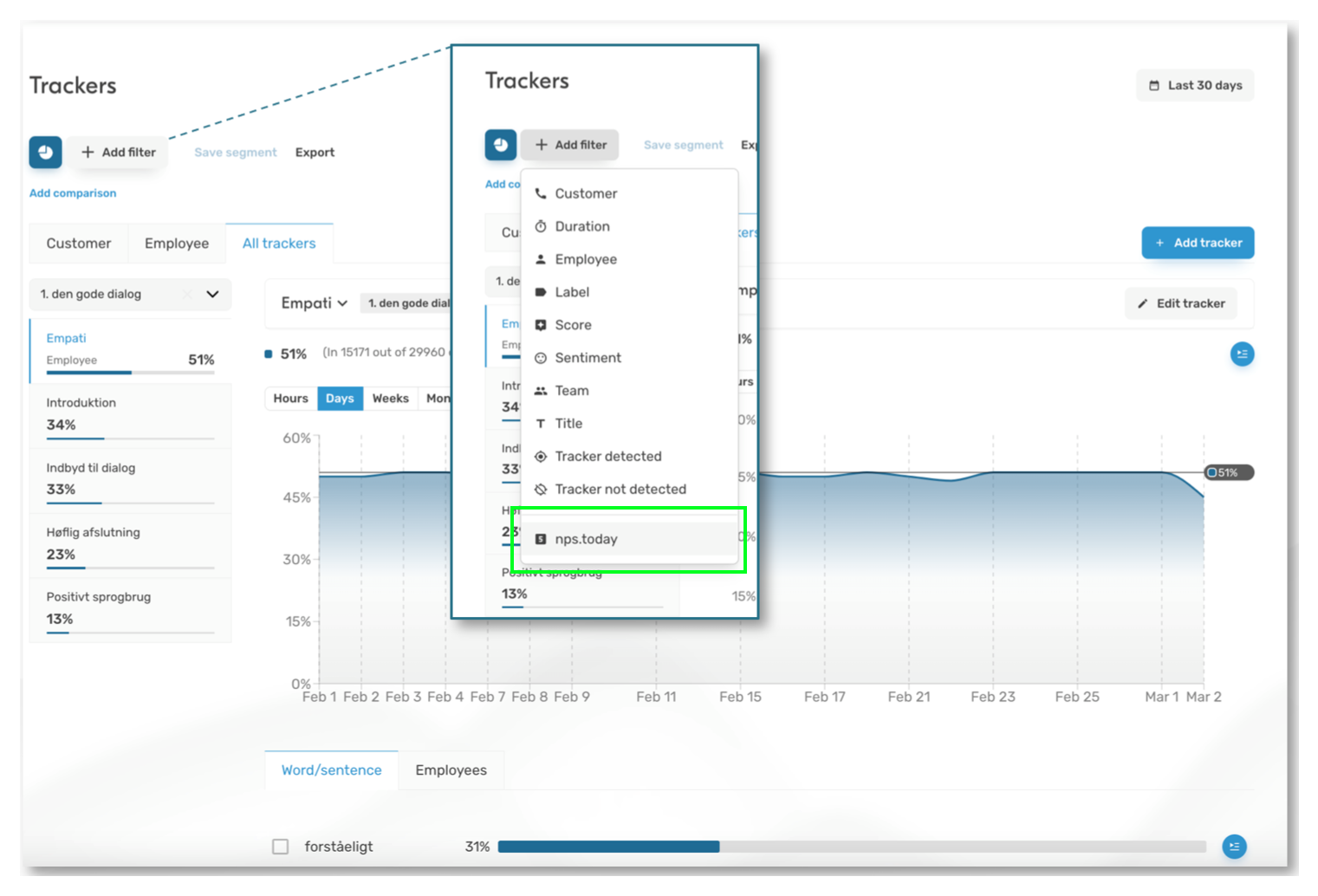
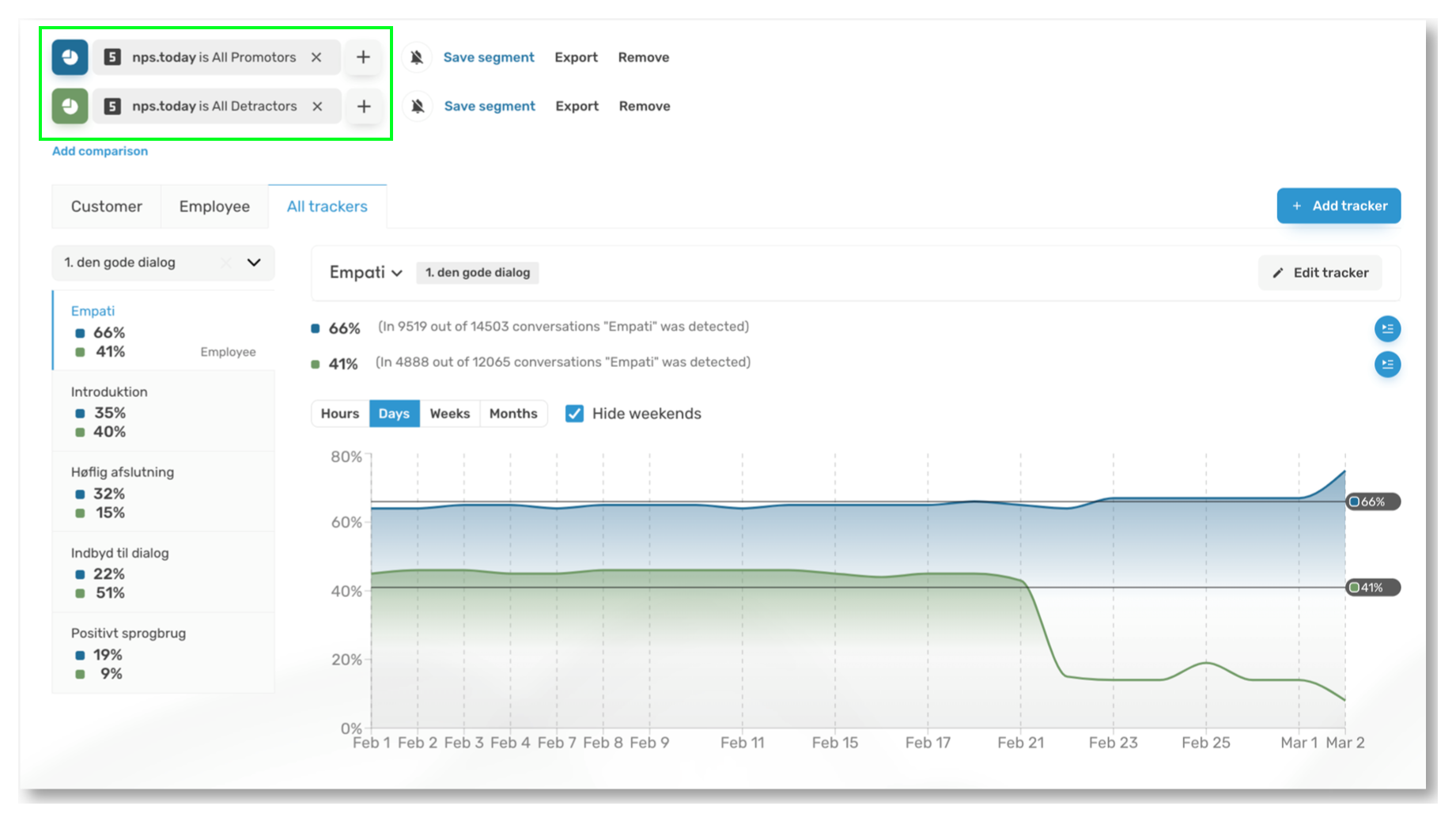
When a respondent completes an nps.today survey, nps.today sends the result to a Puzzel endpoint. Puzzel stores it and then, on a scheduled run, finds the conversation the survey relates to and enriches it with the survey data — for example the NPS rating and any free-text comment. Once matched, the score and comment are visible on the conversation in Puzzel and can be used in filtering and reporting.
Example
Supported systems
The integration supports nps.today surveys originating from the following telephony and contact-centre platforms:
- Puzzel
- IPvision
- GroupOnline
- Dixa
- Trio
- Telavox
- Miralix
If your platform is not listed, contact Puzzel. The matching method is platform-specific, so a new platform may require configuration on our side.
How matching works
Puzzel matches each survey result to a conversation using identifiers in the nps.today payload. The exact identifier depends on your telephony/contact-centre platform — for example a session reference and agent identifier, a customer's phone number, or a customer/source id, combined with the time of the survey. Puzzel will confirm the right matching method for your platform during onboarding.
If no conversation can be matched on a given run, the result is retried on later runs for a limited period.
Timing
Matching runs on a schedule (by default once per day), not in real time. Expect survey results to appear on conversations within roughly a day of the survey being completed, provided a matching conversation exists in Puzzel.
What you need to configure
1. Obtain your integration token
Puzzel will issue you an integration token. This token authenticates your nps.today account and maps incoming results to your Puzzel organisation. Treat it as a secret — anyone with the token can submit data on your behalf.
2. Configure the webhook in nps.today
Set up nps.today to POST each survey result to the Puzzel ingest endpoint, with your token supplied as a query parameter:
POST https://import.capturi.ai/nps-today?token=<your-token>
Content-Type: application/json

{ ...the nps.today survey result payload... }
- Puzzel will confirm the endpoint during onboarding; in most cases it is
https://import.capturi.ai/nps-today. - The request body is the standard nps.today survey result (JSON). You do not need to reshape it — Puzzel reads the fields it needs.
- The token must be sent on every request.
3. Test it
Submit a test survey result. A successful submission returns 204 No Content
(the result was accepted and stored). You can then confirm in Puzzel that the
score appears on the relevant conversation after the next matching run.
Response codes
| Status | Meaning | What to do |
|---|---|---|
204 No Content |
Accepted and stored. | Nothing — this is success. |
400 Bad Request |
The body could not be read as JSON. | Check the payload is valid JSON. |
401 Unauthorized |
Token missing or not recognised. | Check the token query parameter and that it matches the one Puzzel issued. |
500 |
Puzzel could not store the request. | Retry; if it persists, contact Puzzel support. |
A 204 confirms the result was received. It does not by itself guarantee a
conversation match — matching happens later and depends on a corresponding
conversation existing in Puzzel.
Data and privacy
Survey payloads can contain personal data (for example phone numbers, email addresses and free-text comments). Submit data only over HTTPS to the endpoint Puzzel provides, and keep your integration token confidential. Puzzel processes this data under your existing data processing agreement.
Troubleshooting
- Everything returns
401. The token is missing, mistyped, or not the one issued to you. Re-check the query parameter. - Submissions succeed (
204) but nothing appears in Puzzel. Matching is scheduled, so allow for the matching window. If results still do not appear, there may be no matching conversation, or the matching identifiers in the payload may not line up — contact Puzzel support with example survey ids. - Some results match and others do not. This usually means a conversation could not be found for those specific surveys (for example the call was not recorded in Puzzel, or the identifiers differ).