Surveys after chats in the old Puzzel chat
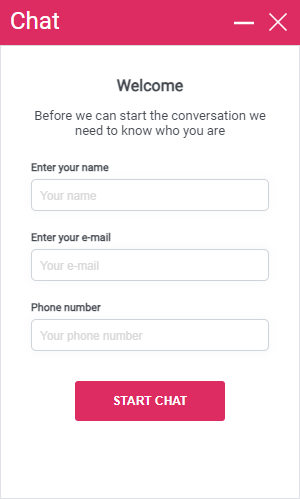
If you use the old Puzzel chat, the nps.today widget can send a survey by SMS when a chat has ended. The survey goes to a phone number the customer enters in the chat form.
We recommend Puzzel Chat (New)
Puzzel no longer supports the old chat. If you can, use Puzzel Chat (New) with one of the two survey types in Integrated Chat Surveys:
- Integrated: the survey is shown in the chat window when the chat ends.
- Link: the customer gets a link to the survey when the chat ends.
Use this page if you still use the old chat.
Prerequisites
- The nps.today widget set up in Puzzel.
- A chat in the old Puzzel chat, with a field where the customer enters a phone number.
- SMS delivery set up on your campaign, see How to add SMS delivery.
Set up the chat variable
The widget needs the name of the chat variable that holds the customer's phone number.
-
In the Puzzel admin portal, go to the Chat Service Configurations and find the variable name in the chat configuration you use.

-
Go to Widget ➡ Widget Configuration and unfold the nps.today widget.
-
In the field chatVariable, enter the variable name.

In this example the chat uses the value of the variable phoneNumber as the recipient of the survey.
Only phone numbers are supported
The chat variable must hold a phone number. If the number has no country code, it is treated as a Danish phone number.
You cannot use system variables in the chat configuration
The system variables are not available in our widget. Although you can use the following system variables in other contexts, they will not work within our widget:
enteredFormName enteredChatId enteredFormIssue selectedQueueKey timeId2Map.